
50 live video models · prices read live · checked 9 October 2026
AI Video Models on Reviral (50 Live Models)
Reviral runs 50 AI video models — Hailuo, HappyHorse, Kling, MiniMax, Seedance, Veo, Vidu, Wan — on one credit balance. Prices run from 1.5 credits per second (Veo 3.1 Lite (no sound), 12 credits per 8-second clip, about $0.019 a second) to 117.2 credits per second (Seedance 2 at 4K, about $1.46 a second). Every row below is read live; checked 9 October 2026. Pay by card, or in ringgit (RM) with Touch 'n Go eWallet for credit packs or Visa/Mastercard for monthly plans.
Open the video studio →Opens the video studio. 100 free credits at sign-up.
Written and checked by the Reviral team on 24 September 2026. Prices read from the live studio and the public model list that day.
All 50 AI video models, read live
Every live video model with its maker, sizes, clip length, price and reference inputs, sorted by family and then by price per second.
| Model | Maker | Sizes | Clip length | Credits | $ per second | References (pictures / videos / audio) | Pages |
|---|---|---|---|---|---|---|---|
| Hailuo 02 (no sound) | MiniMax | 512P, 768P, 1080P | 6–10 s | 17 credits per 6-second clip · 17 credits per 10-second clip | $0.021 | 2 / 0 / 0 | API page · Model page |
| Hailuo 2.3 Fast (no sound) | MiniMax | 768Pother sizes: price shown in the studio before you render | 6–10 s | 24 credits per 6-second clip · 24 credits per 10-second clip | $0.030 | 1 / 0 / 0 | API page · Model page |
| Hailuo 2.3 (no sound) | MiniMax | 768P, 1080P | 6–10 s | 33 credits per 6-second clip · 33 credits per 10-second clip | $0.041 | 1 / 0 / 0 | API page · Model page |
| HappyHorse 1.1 (no sound) | HappyHorse | 720P, 1080P | 3–15 s | 720P: 10.6 credits/s · 1080P: 14.2 credits/s | $0.13 | 9 / 0 / 0 | API page |
| Kling V2.6 | Kuaishou | 720p, 1080p | 5–10 s | 720p: 5.4 credits/s · 1080p: 9.2 credits/s | $0.067 | 4 / 0 / 0 | API page · Model page |
| Kling V3 | Kuaishou | 720p, 1080p | 3–15 s | 720p: 10 credits/s · 1080p: 13.3 credits/s | $0.12 | 4 / 0 / 0 | API page · Model page |
| Kling V3 Omni | Kuaishou | 720p, 1080p | 3–15 s | 720p: 10 credits/s · 1080p: 13.2 credits/s | $0.12 | 2 / 0 / 0 | API page · Model page |
| Kling Video O1 | Kuaishou | 720p, 1080p | 3–10 s | 720p: 10 credits/s · 1080p: 13.2 credits/s | $0.12 | 2 / 0 / 0 | API page · Model page |
| Kling 3.0 Turbo (no sound) | Kuaishou | 720p, 1080p | 3–15 s | 720p: 13.2 credits/s · 1080p: 16.6 credits/s | $0.16 | 1 / 0 / 0 | API page · Model page |
| MiniMax H3 Pro 768p | MiniMax | 768p | 4–15 s | 768p: 2.4 credits/s | $0.030 | 9 / 3 / 3 | API page |
| MiniMax H3 2K (Flat) | MiniMax | 2K | 4–15 s | 69 credits per 5-second clip | $0.17 | 9 / 0 / 3 | API page |
| MiniMax H3 (no sound) | MiniMax | 768p, 2K | 4–15 s | 768p: 21.4 credits/s · 2K: 21.4 credits/s | $0.27 | 9 / 3 / 3 | API page |
| Seedance 1.5 Pro | ByteDance | 480p, 720p, 1080p | 4–12 s | 480p: 3.4 credits/s · 720p: 7.4 credits/s · 1080p: 17.8 credits/s | $0.042 | 2 / 0 / 0 | API page |
| Seedance 2 Mini | ByteDance | 480p, 720p | 4–15 s | 480p: 4.8 credits/s · 720p: 4.8 credits/s | $0.060 | 9 / 3 / 0 | API page · Model page |
| Seedance 2 | ByteDance | 480p, 720p, 1080p, 4k | 4–15 s | 480p: 10.6 credits/s · 720p: 21.2 credits/s · 1080p: 52.8 credits/s · 4k: 117.2 credits/s | $0.13 | 9 / 3 / 0 | API page · Model page |
| Seedance 2 Fast | ByteDance | 480p, 720p | 4–15 s | 480p: 13.2 credits/s · 720p: 13.2 credits/s | $0.16 | 9 / 3 / 0 | API page · Model page |
| Seedance 2.0 720P | ByteDance | 720p | 4–15 s | 720p: 15.2 credits/s | $0.19 | 9 / 3 / 3 | API page · Model page |
| Seedance2.0-720P Flat (Limited) | ByteDance | 720P | 15 s | 50 credits per 15-second clip | $0.042 | 9 / 0 / 0 | API page · Model page |
| Seedance 2.0 720P | ByteDance | 720p | 15 s | 228 credits per 15-second clip | $0.19 | 9 / 3 / 3 | API page · Model page |
| Seedance2.0- 1080P | ByteDance | 1080P | 4–15 s | 1080P: 28 credits/s | $0.35 | 9 / 3 / 3 | API page · Model page |
| Seedance2.0- 4K | ByteDance | 4K | 4–15 s | 4K: 67.4 credits/s | $0.84 | 9 / 3 / 3 | API page · Model page |
| Seedance 2.5 720P Flat B | ByteDance | 720p | 30 s | 125 credits per 30-second clip | $0.052 | 9 / 0 / 0 | API page · Model page |
| Seedance 2.5 (Flat price C) | ByteDance | 720p | 30 s | 132 credits per 30-second clip | $0.055 | 30 / 0 / 0 | API page · Model page |
| Seedance 2.5 1080 Flat | ByteDance | 1080p | 30 s | 166 credits per 30-second clip | $0.069 | 30 / 0 / 0 | API page · Model page |
| seedance 2.5 720p | ByteDance | 720p | 30 s | 720p: 11.8 credits/s | $0.15 | 9 / 0 / 0 | API page · Model page |
| Seedance 2.5 480P | ByteDance | 480p | 4–30 s | 480p: 12.8 credits/s | $0.16 | 30 / 10 / 10 | API page · Model page |
| Seedance 2.5 720p Flat Price | ByteDance | 720p | 4–30 s | 442 credits per 30-second clip | $0.18 | 30 / 10 / 10 | API page · Model page |
| Seedance 2.5 | ByteDance | 480p, 720p | 4–30 s | 480p: 15.2 credits/s · 720p: 29.6 credits/s | $0.19 | 30 / 10 / 10 | API page · Model page |
| Seedance 2.5 720P Route3 | ByteDance | 720p | 4–30 s | 720p: 19.8 credits/s | $0.25 | 30 / 10 / 10 | API page · Model page |
| Seedance 2.5 720P VIP | ByteDance | 720p | 4–30 s | 720p: 20.4 credits/s | $0.25 | 30 / 10 / 10 | API page · Model page |
| Seedance 2.5 720P | ByteDance | 720p | 4–30 s | 720p: 21.6 credits/s | $0.27 | 30 / 10 / 10 | API page · Model page |
| Seedance 2.5 720P | ByteDance | 720p | 4–30 s | 720p: 23 credits/s | $0.29 | 30 / 10 / 10 | API page · Model page |
| Seedance 2.5 720P | ByteDance | 720p | 4–30 s | 720p: 23.6 credits/s | $0.29 | 30 / 10 / 10 | API page · Model page |
| Seedance 2.5 1080p | ByteDance | 1080p | 4–29 s | 1080p: 35.2 credits/s | $0.44 | 30 / 10 / 10 | API page · Model page |
| Seedance 2.5 1080P VIP | ByteDance | 1080p | 4–30 s | 1080p: 53.2 credits/s | $0.66 | 30 / 10 / 10 | API page · Model page |
| Seedance 2.5 1080P | ByteDance | 1080p | 4–30 s | 1080p: 55.4 credits/s | $0.69 | 30 / 10 / 10 | API page · Model page |
| Seedance 2.5 720P | ByteDance | 720p | 5–30 s | 427 credits per 5-second clip | $1.07 | 30 / 10 / 10 | API page · Model page |
| Veo 3.1 Lite (no sound) | 720pother sizes: price shown in the studio before you render | 8 s | 12 credits per 8-second clip | $0.019 | 3 / 0 / 0 | API page · Model page | |
| Veo 3.1 Fast (no sound) | 720pother sizes: price shown in the studio before you render | 8 s | 24 credits per 8-second clip | $0.037 | 3 / 0 / 0 | API page · Model page | |
| Omni Flash (no sound) | 720Pother sizes: price shown in the studio before you render | 4–10 s | 37 credits per 4-second clip · 37 credits per 6-second clip · 37 credits per 10-second clip | $0.046 | 3 / 0 / 0 | API page · Model page | |
| Veo 3.1 Quality (no sound) | 720pother sizes: price shown in the studio before you render | 8 s | 50 credits per 8-second clip | $0.078 | 2 / 0 / 0 | API page · Model page | |
| Veo 3.1 Fast (per second) | 720pother sizes: price shown in the studio before you render | 4–8 s | 720p: 13.3 credits/s | $0.17 | 2 / 0 / 0 | API page · Model page | |
| Veo 3.1 Quality (per second) | 720pother sizes: price shown in the studio before you render | 4–8 s | 720p: 52.6 credits/s | $0.66 | 2 / 0 / 0 | API page · Model page | |
| Vidu Q3 Turbo | Vidu | 540p, 720p, 1080p | 1–16 s | 540p: 4.3 credits/s · 720p: 7.2 credits/s · 1080p: 7.7 credits/s | $0.054 | 2 / 0 / 0 | API page |
| Vidu Q3 Pro | Vidu | 540p, 720p, 1080p | 1–16 s | 540p: 5.3 credits/s · 720p: 11.8 credits/s · 1080p: 14.2 credits/s | $0.067 | 2 / 0 / 0 | API page |
| Vidu Q3 | Vidu | 540p, 720p, 1080p | 3–16 s | 540p: 7.2 credits/s · 720p: 7.2 credits/s · 1080p: 7.2 credits/s | $0.089 | 7 / 0 / 0 | API page |
| Wan 2.6 Flash | Alibaba | 720p, 1080p | 5–15 s | 720p: 5 credits/s · 1080p: 4.2 credits/s | $0.062 | 1 / 0 / 0 | API page · Model page |
| Wan 2.6 | Alibaba | 720p, 1080p | 5–15 s | 720p: 10 credits/s · 1080p: 16.6 credits/s | $0.12 | 1 / 0 / 0 | API page · Model page |
| Wan 3.0 | Alibaba | 480p, 720p, 1080p | 2–30 s | 480p: 19.8 credits/s · 720p: 19.8 credits/s · 1080p: 19.8 credits/s | $0.25 | 10 / 5 / 5 | API page · Model page |
| Wan 3.0 Prime | Alibaba | 480p, 720p, 1080p | 2–30 s | 480p: 29.6 credits/s · 720p: 29.6 credits/s · 1080p: 29.6 credits/s | $0.37 | 10 / 5 / 5 | API page · Model page |
Prices read live · checked 9 October 2026. Dollars at the $4.99 Mini Pack rate, lowest size. Pay by card, or in ringgit (RM) with Touch 'n Go eWallet for credit packs or Visa/Mastercard for monthly plans.
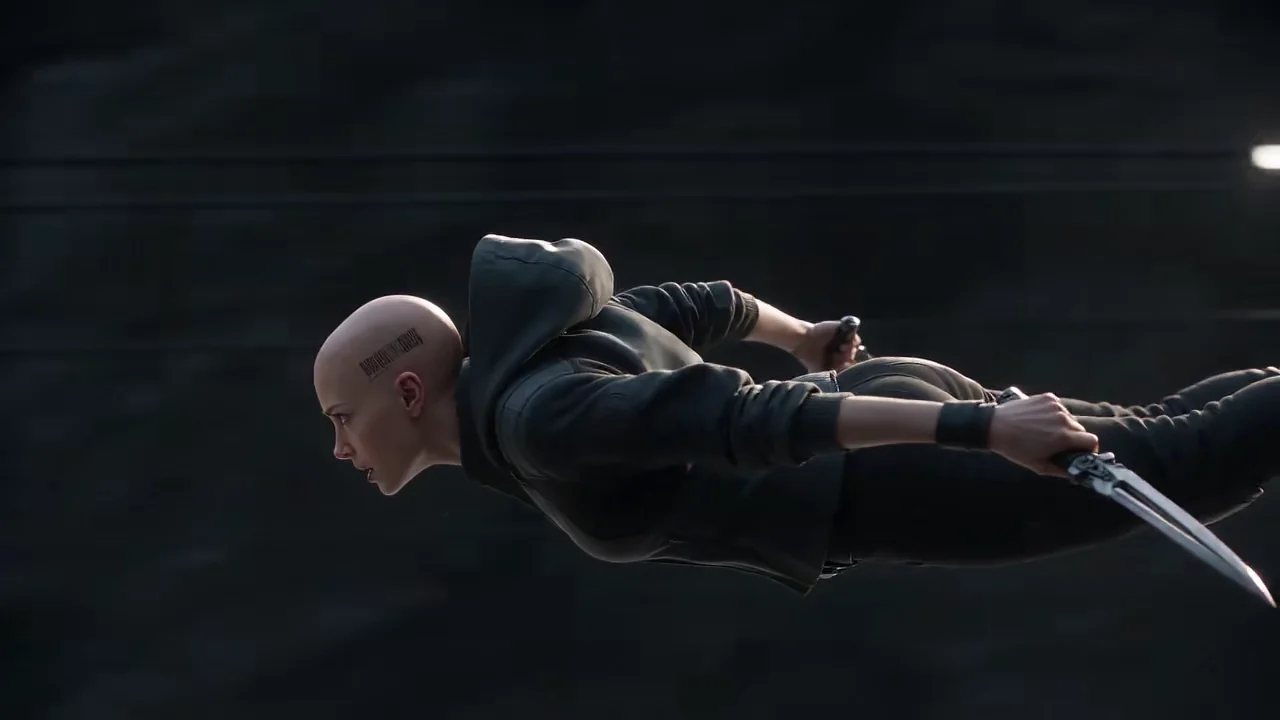
Frames from videos made on Reviral
One frame from a real render per model; the caption names the model and the clip length.


How to pick an AI video model
Need the longest single clip? Seedance 2.5 and Wan make up to 30 seconds in one shot.
Need the lowest price per second? Veo 3.1 Lite (no sound) costs 12 credits per 8-second clip. For the full ranking, see the AI video model prices page.
Need the most reference inputs? Seedance 2.5 takes up to 30 pictures, 10 videos and 10 audio clips in one generation.
One-time packs start at $4.99 for 400 credits that never expire; monthly plans are optional. See Reviral pricing.
Model guides and comparisons
Short answers and tutorials
- Which platform is best for running Seedance 2.5?
- How much does a 30-second Seedance 2.5 video cost?
- What is the best AI tool to start a faceless channel?
- Can I make UGC ads from one product photo?
- Which AI video model is cheapest per second?
- Which AI video model is best for anime?
- How long can a Seedance 2.5 clip be, and at what resolution?
- Can I pay per video without a subscription?
- Which AI image model is best for product photos?
- Sora 2 is gone — what replaces it for ads?
- How to Make a UGC Ad From One Product Photo
- How to Make AI Product Photos (GPT Image 2.5 Sunburst)
- How to Make a 30-Second AI Video (Seedance 2.5)
AI video models FAQ
How many AI video models does Reviral have?
50 live video models, plus 22 image models, all on one credit balance (checked 9 October 2026).
Which AI video model makes the longest clip?
Seedance 2.5 and Wan, up to 30 seconds per clip.
Which AI video model is cheapest per second?
Veo 3.1 Lite (no sound) at 1.5 credits per second (12 credits per 8-second clip), about $0.019 a second at the $4.99 Mini Pack rate, checked 9 October 2026.
Which model takes the most reference inputs?
Seedance 2.5: up to 30 pictures, 10 videos and 10 audio clips.
What is the difference between an AI video model and an AI video generator?
The model makes the pixels; Reviral is the studio around it — prompt, references, price and download.
Can I switch models without a new plan?
Yes. One credit balance works for every model.
Compare generation entry points
AI video model and preset entry pages
Direct answer
AI video models generate motion from text, images, or other references, but access and controls vary by workflow. Reviral's pages below cover selected model-labelled entry points plus closely related generation presets. A landing page may configure the creator rather than guarantee a particular engine, so verify the page's current capability notes first.
These pages are useful when model family, input type, or visual treatment guides your choice. Reviral keeps the public page focused on the workflow you can open; it does not promise that every model label maps to a fixed engine for every render.
Browse AI Video Models
Open a tool page to see its current inputs, destination, examples when available, and any important limitations.
AI 3D Video Generator: 3D Animation From Text
Turn any topic into a short vertical video in the 3d animation style style — fully AI-generated, ready for TikTok, Reels and Shorts.
Hand-Painted Anime AI Video Generator
Turn any topic into a short vertical video in the hand-painted anime style — fully AI-generated, ready for TikTok, Reels and Shorts.
Cinematic AI Video Generator
Turn any topic into a short vertical video in the cinematic style — fully AI-generated, ready for TikTok, Reels and Shorts.
Photoreal AI Video Generator
Turn any topic into a short vertical video in the photoreal style — fully AI-generated, ready for TikTok, Reels and Shorts.
Image to Video Animator
Create a cinematic video from a text prompt.
Grok Video Generator
A dedicated Grok video route is not available in Reviral today.
Explore related video topics
Open the video creator
Choose the currently available generation workflow and visual preset in the creator.
Open the video creator →