GPT Image 2.5 on Reviral — Standard, Flare and Sunburst
GPT Image 2.5 is OpenAI's September 2026 picture model. Reviral sells it in three tiers: GPT Image 2.5 for everyday pictures, Flare, which OpenAI rates as lower-latency, and Sunburst for finer detail and edit control. Every picture costs 2 credits at 1K — about $0.02 at the $4.99 Mini Pack rate — with up to 9 reference pictures. Prices checked 24 September 2026. Pay by card, or in ringgit (RM) with Touch 'n Go eWallet for credit packs or Visa/Mastercard for monthly plans.
- 3
- tiers in one menu
- 2
- credits per picture
- 1K
- picture size
- 9
- reference pictures
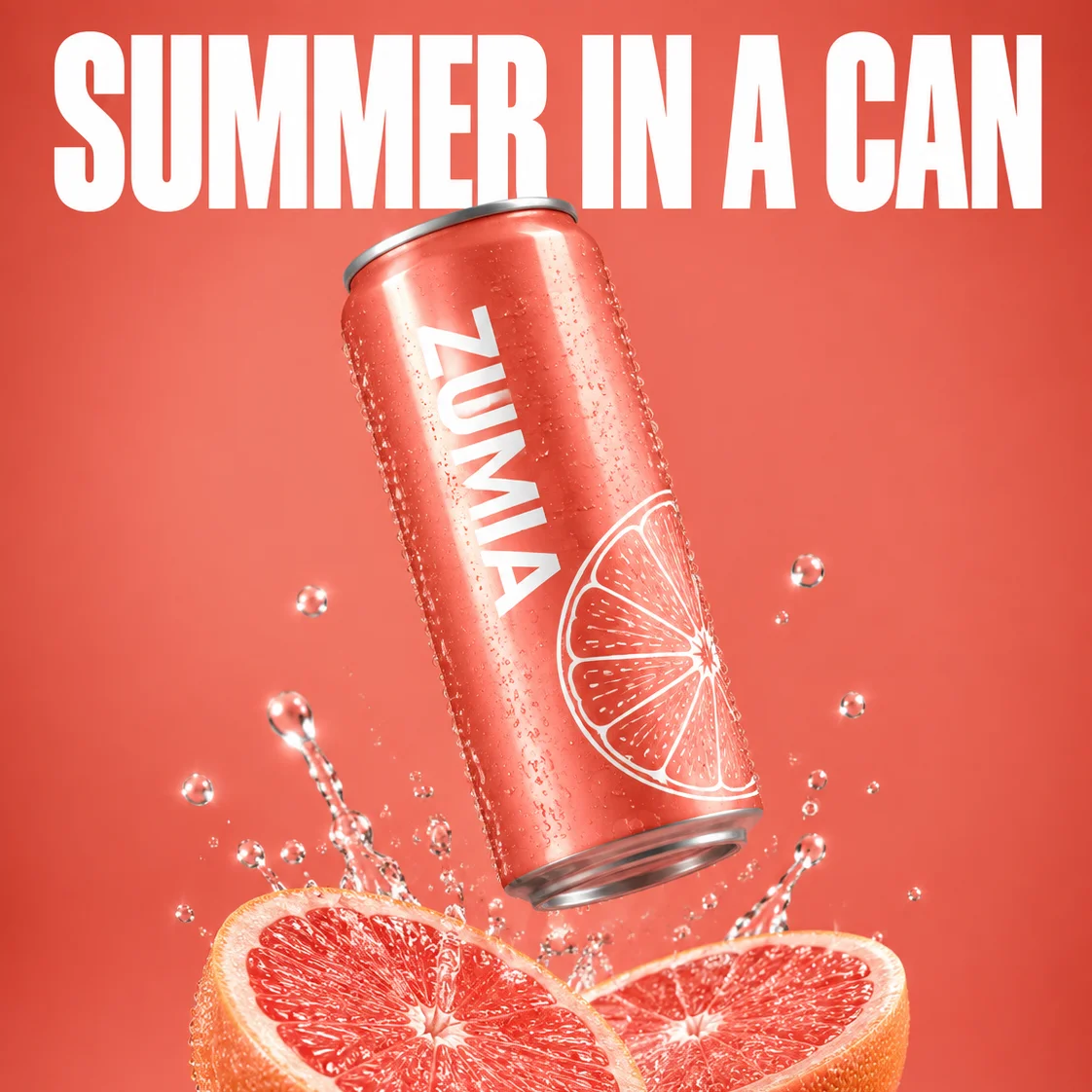
The short version
What Is GPT Image 2.5?
OpenAI announced GPT Image 2.5 on 8 September 2026 with ChatGPT Images 2.5, as two developer models. Flare is the default: OpenAI says it beats GPT Image 2 on quality at 50% lower latency. Sunburst adds, in OpenAI's words, an extra level of precision for detailed creative work, and takes longer.
Reviral puts both, plus the standard GPT Image 2.5 model, in one model menu, with no ChatGPT or OpenAI account needed. Type a prompt, pick one of 11 shapes, add up to 9 reference pictures, and press Generate. The price line shows the credits first.
Source: OpenAI, "Introducing ChatGPT Images 2.5" (openai.com, 8 September 2026). Reviral is not affiliated with OpenAI.
Written and checked by the Reviral team on 24 September 2026. Prices read from the live studio and the public model list that day.
One prompt, three tiers, one price
Pick a Tier: GPT Image 2.5, Flare or Sunburst
All three tiers cost the same and make the same 1K size; they differ in speed and fine detail. Each button opens the studio with that tier picked.
| Tier | Best for | Speed | Credits per picture | Studio |
|---|---|---|---|---|
| GPT Image 2.5 | Everyday pictures. 1K. | Normal | 2 (about $0.02) | Open studio |
| GPT Image 2.5 Flare | Everyday pictures on OpenAI's lower-latency tier. 1K. | OpenAI: 50% lower latency than GPT Image 2; our clock: 69–135 s | 2 (about $0.02) | Open studio |
| GPT Image 2.5 Sunburst | Finer detail and edit control. OpenAI says it takes longer. Good for product and ad pictures. 1K. | OpenAI: longer generation times; our clock: 44 s to about 3.5 min | 2 (about $0.02) | Open studio |
Dollar figures use the $4.99 Mini Pack rate ($0.012475 per credit), checked 24 September 2026. Pay by card, or in ringgit (RM) with Touch 'n Go eWallet for credit packs or Visa/Mastercard for monthly plans.
Real Reviral outputs
The Same Poster Prompt on All Three Tiers
One prompt, run once on each tier, then one Sunburst edit.
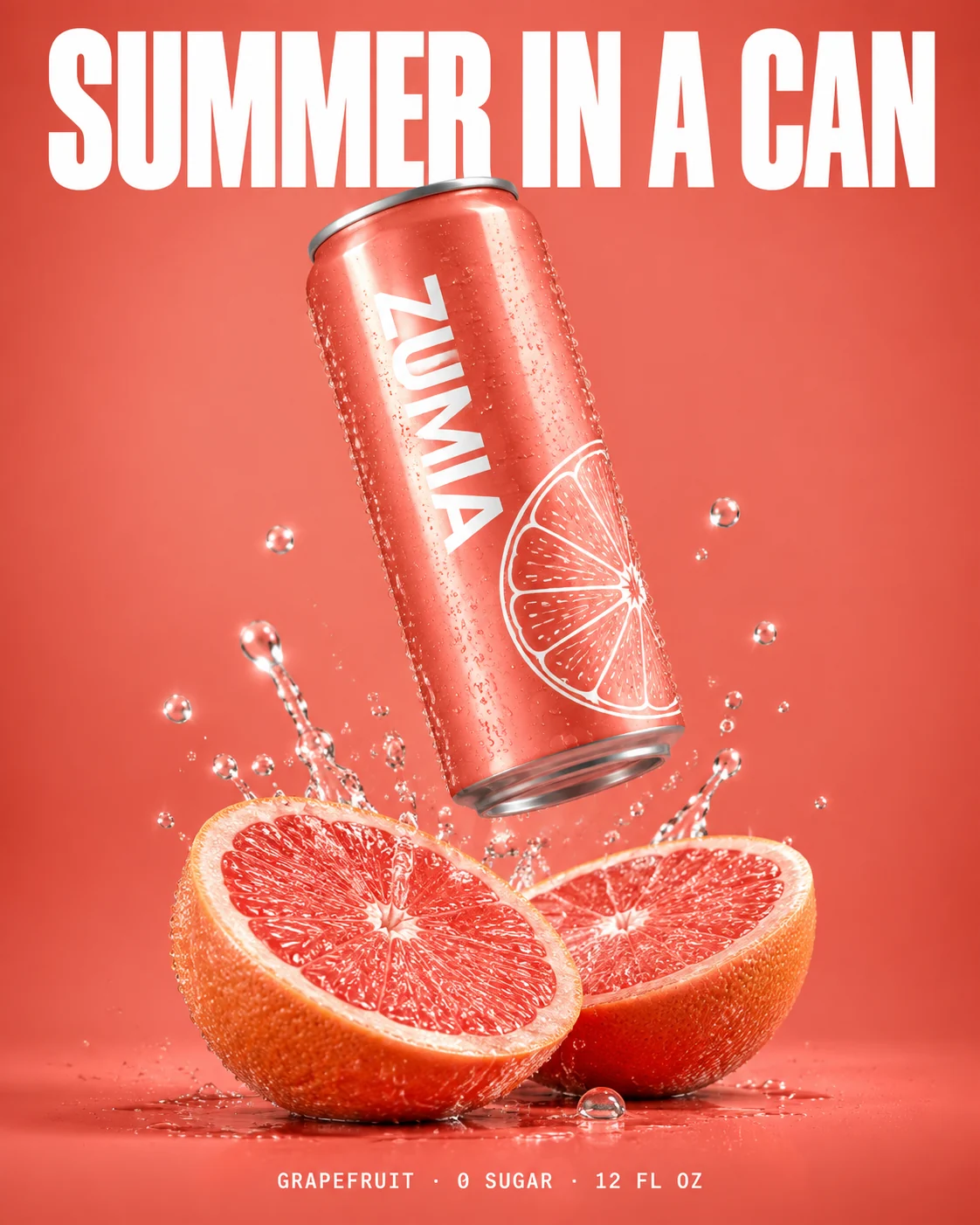
GPT Image 2.5 (standard)
Made with GPT Image 2.5 on Reviral · 2 credits
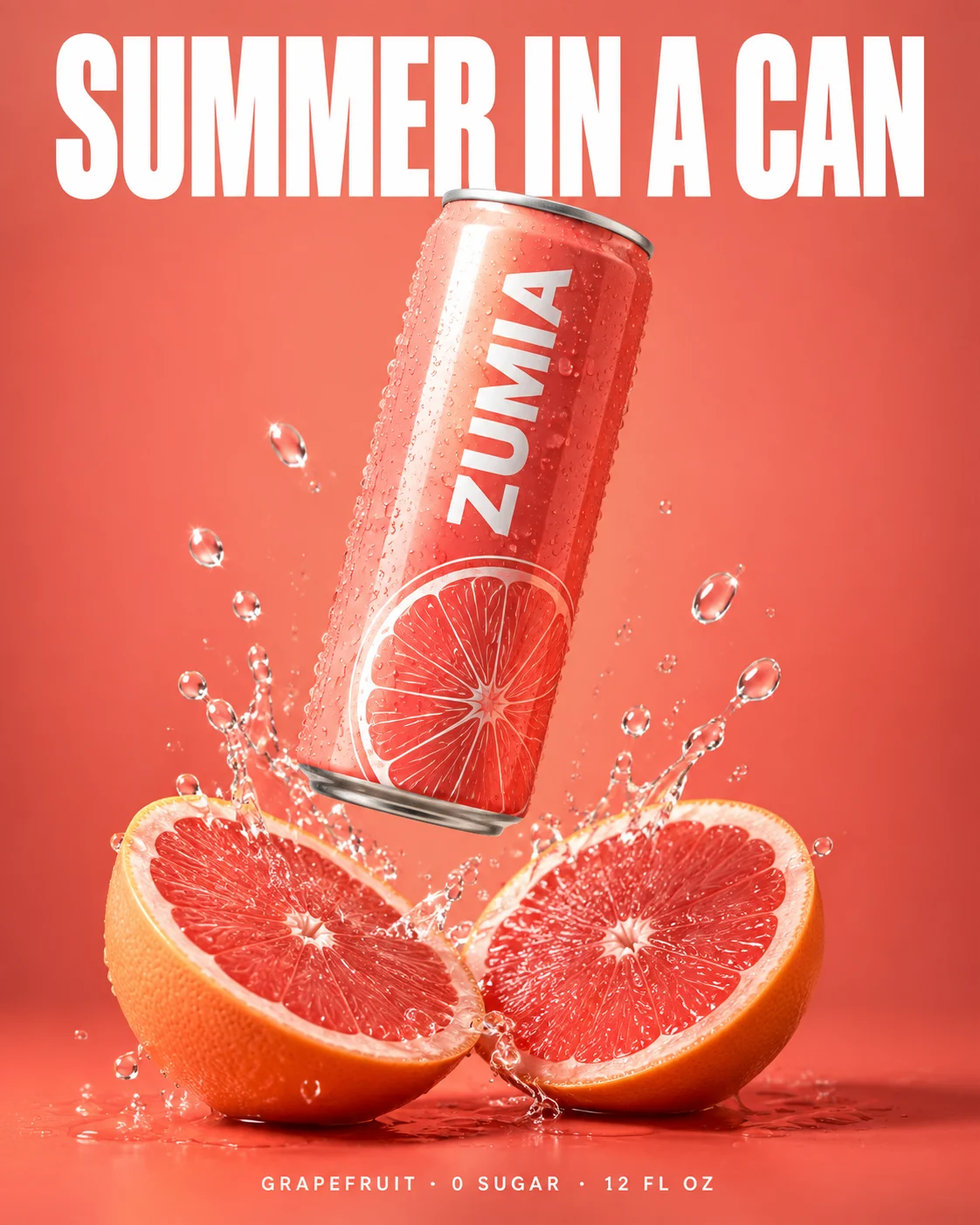
GPT Image 2.5 Flare
Made with GPT Image 2.5 Flare on Reviral · 2 credits
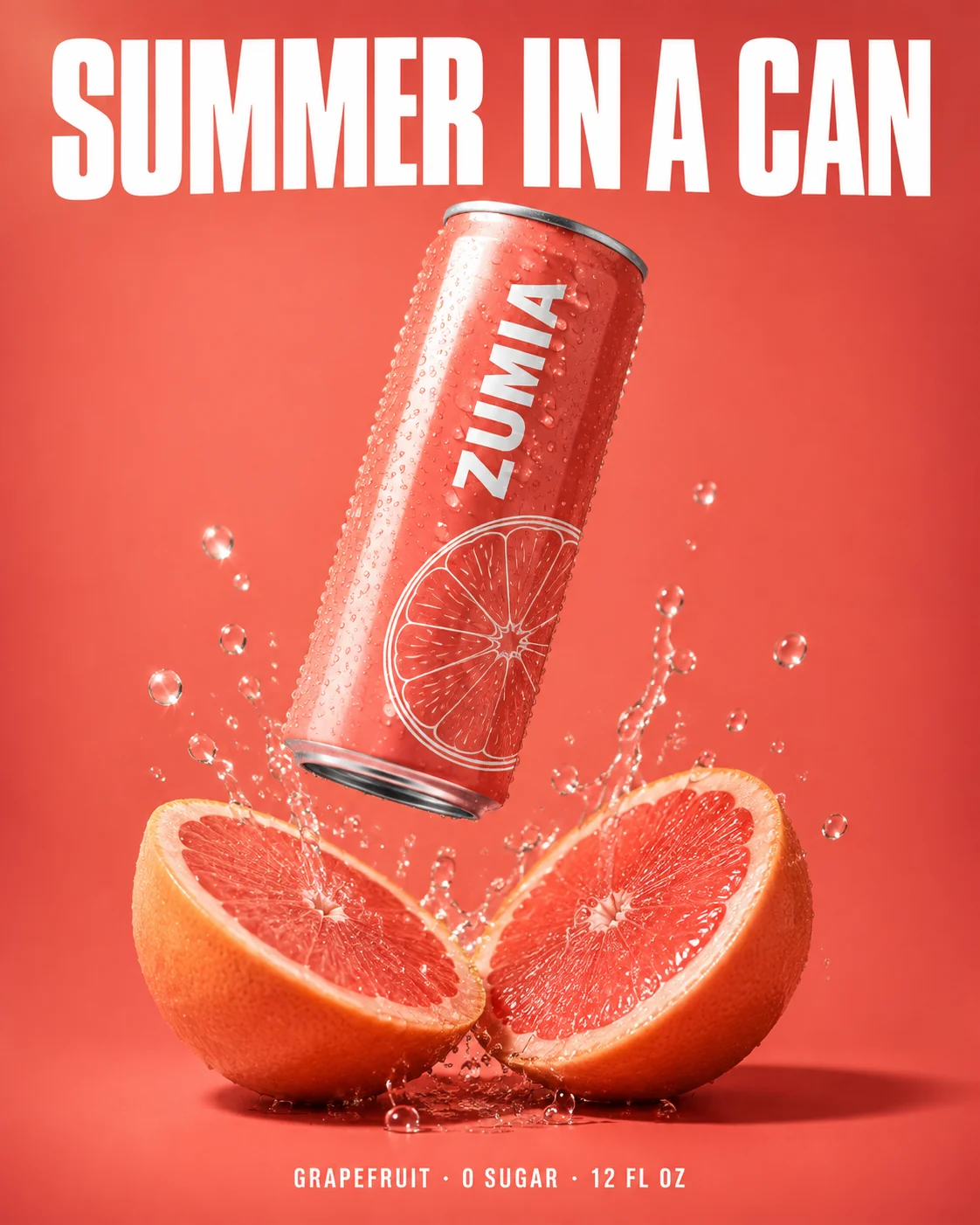
GPT Image 2.5 Sunburst
Made with GPT Image 2.5 Sunburst on Reviral · 2 credits
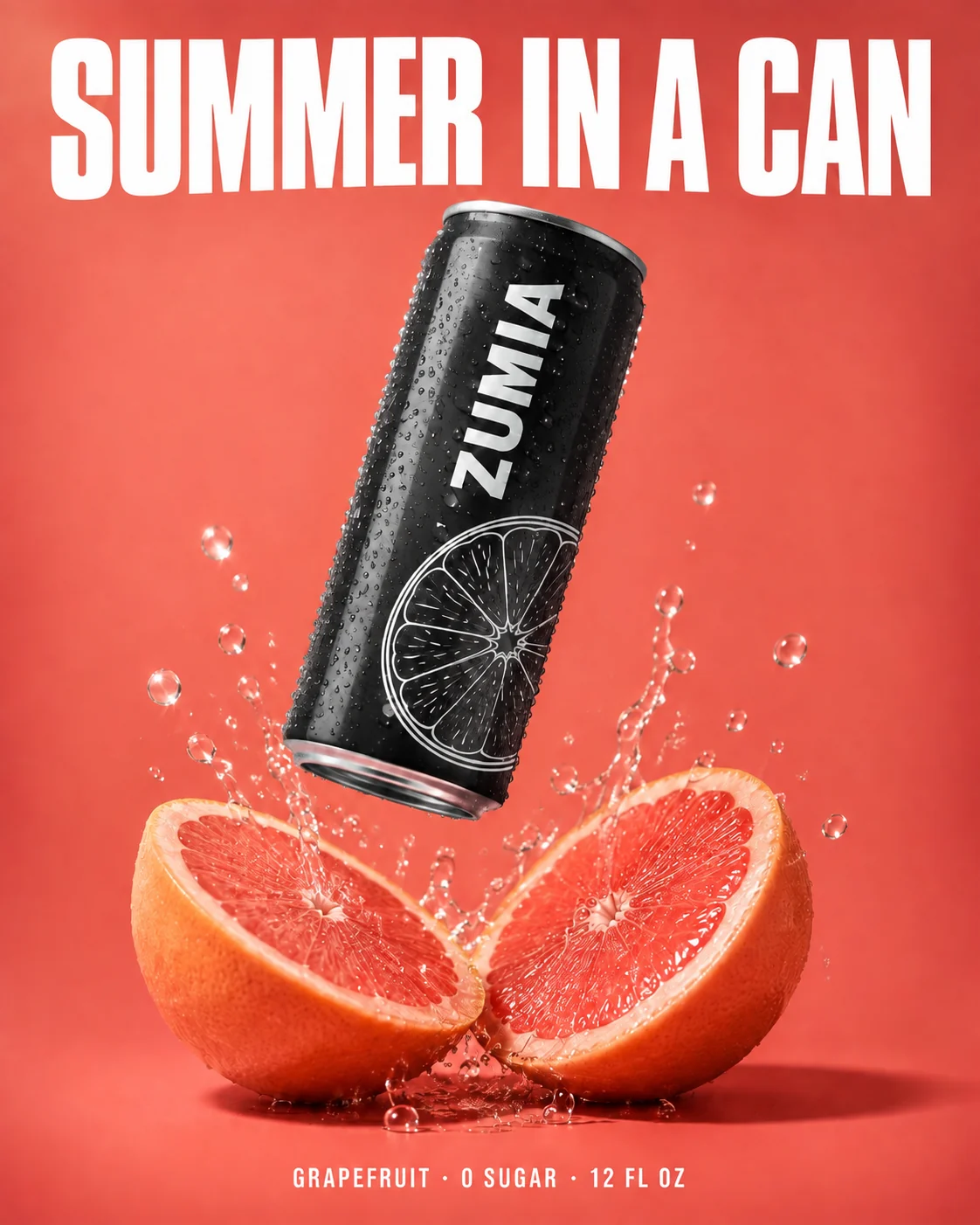
Sunburst edit: only the can turned matte black
Made with GPT Image 2.5 Sunburst on Reviral · 2 credits
Pick by the job, not the name
Flare vs Sunburst: Which GPT Image 2.5 Tier Should You Use?
Use Flare when you need many drafts quickly: thumbnails, mood boards, social posts, or ten versions of an idea. It is OpenAI's default tier, rated at 50% lower latency than GPT Image 2. On our own clock on 24 September 2026 it was not faster: standard 44–57 s, Flare 69–135 s.
Use Sunburst when small things matter: label text, the edge of a bottle, fabric texture, or an edit that changes one part only. It takes longer and suits product and ad pictures.
Use the standard tier for everyday pictures. Because all three cost 2 credits, the simplest test is your own prompt once on each tier: 6 credits in total, about $0.07 at the $4.99 Mini Pack rate, checked 24 September 2026.
Pages built around one task
Made for a Specific Job?
AI product photo generator
Sunburst with a product photo as the reference: new scenes for shop listings and ads.
FASTFast AI image generator
Flare: OpenAI's lower-latency tier, one picture per press.
ADImage ad generator
Paste a product link and get finished ad pictures with headline and button text.
Five steps
How to Use GPT Image 2.5 on Reviral
The button on this page skips step 1: it opens the studio with the tier picked.
- 01
Open the model menu
Pick GPT Image 2.5, Flare or Sunburst.
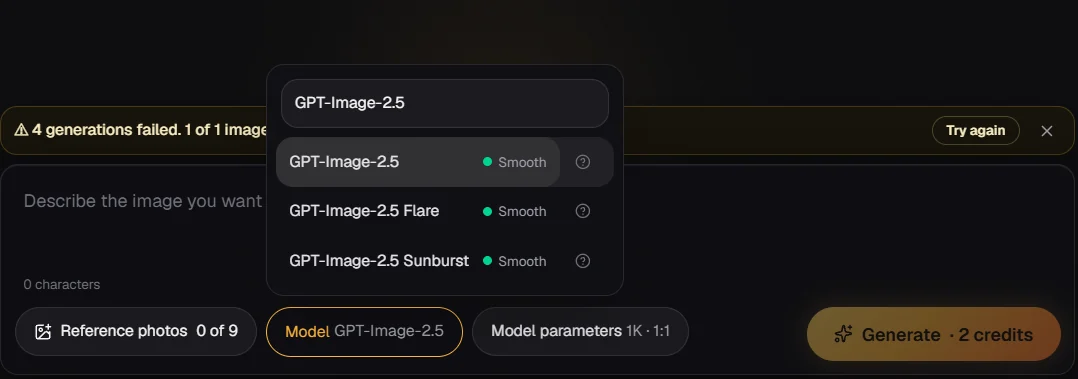
Step 1 — Press the model menu and type GPT-Image-2.5: the three GPT Image 2.5 tiers appear. - 02
Write the prompt and pick a shape
Describe the picture, then choose a ratio such as 1:1, 4:5 or 9:16.
- 03
Add reference pictures
Upload up to 9 pictures the result should follow, such as your product.
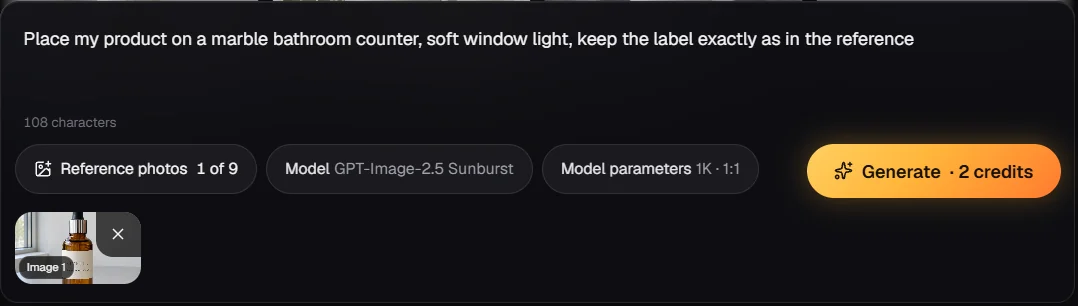
Step 3 — Add up to 9 reference pictures: they show as thumbnails under the prompt. - 04
Check the price and generate
The price line shows the credits before anything is charged.
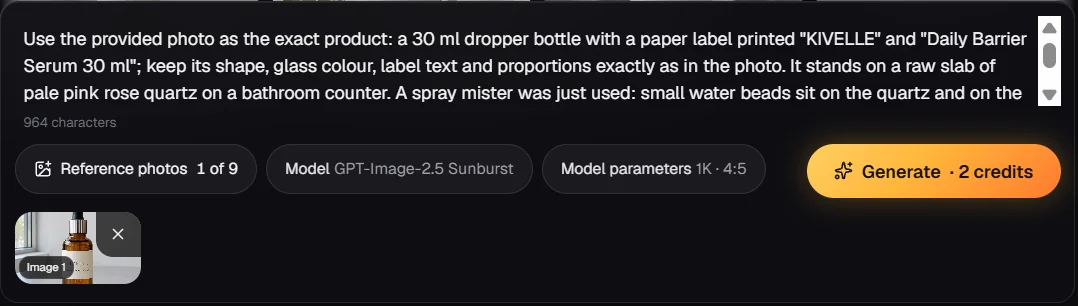
Step 4 — Check the price line: 2 credits, then press Generate. - 05
Download or edit
Download it, or press Use again to change one part.
Price shown before you generate
How Much Does GPT Image 2.5 Cost?
Every GPT Image 2.5 tier costs 2 credits per 1K picture on Reviral, about $0.02 at the $4.99 Mini Pack rate, checked 24 September 2026. If a picture cannot be finished, the credits are returned automatically.
GPT Image 2.5 · all three tiers · 1K
Credits first, dollars at the $4.99 Mini Pack rate · checked 24 September 2026
| What you make | Credits | Price |
|---|---|---|
| 1 picture (standard, Flare or Sunburst) | 2 credits | $0.02 |
| 4 pictures, one per press | 8 credits | $0.10 |
| Same prompt on all three tiers | 6 credits | $0.07 |
| Mini Pack, one-time, never expires | 400 credits | $4.99 = 200 pictures |
| Mega Pack, one-time, never expires | 6,000 credits | $59.99 = 3,000 pictures |
Sign-up gives 100 free credits with no card, enough for 50 pictures. Monthly plans are optional, from $19 for 1,900 credits. Prices checked 24 September 2026. Pay by card, or in ringgit (RM) with Touch 'n Go eWallet for credit packs or Visa/Mastercard for monthly plans.
Honest limits
What GPT Image 2.5 on Reviral Does Not Do Yet
Reviral sells GPT Image 2.5 at 1K only. Nano Banana Pro goes up to 4K for 10 credits a picture (about $0.12) and Seedream 5.0 makes 2K or 3K for 6 credits (about $0.07), both checked 24 September 2026. Nano Banana Pro also takes up to 14 reference pictures instead of 9.
Reference pictures guide the result closely but do not guarantee an exact copy, so zoom in on labels, hands and small text before you publish.
Short answers
GPT Image 2.5 FAQ
What is the difference between GPT Image 2.5 Flare and Sunburst?+
OpenAI calls Flare its lower-latency tier and says Sunburst takes longer for finer detail and edit control; on our clock on 24 September 2026 the waits overlapped (Flare 69–135 s, Sunburst 44 s to about 3.5 min). Both cost 2 credits a picture on Reviral (about $0.02, checked 24 September 2026).
How much does GPT Image 2.5 cost on Reviral?+
2 credits per 1K picture on all three tiers, about $0.02 at the $4.99 Mini Pack rate; the 400-credit Mini Pack makes 200 pictures (checked 24 September 2026).
What resolution does GPT Image 2.5 make?+
1K on Reviral today, in 11 ratios: 1:1, 5:4, 4:5, 4:3, 3:4, 16:9, 9:16, 3:2, 2:3, 21:9 and 9:21.
Can I upload reference pictures?+
Yes, up to 9 reference pictures per generation on every GPT Image 2.5 tier.
Is GPT Image 2.5 better than Nano Banana Pro?+
They differ: Nano Banana Pro costs 10 credits (about $0.12) and goes up to 4K with 14 references; GPT Image 2.5 costs 2 credits (about $0.02) at 1K with 9 references (checked 24 September 2026). Run the same prompt on both.
Do I need a ChatGPT or OpenAI account?+
No. You use GPT Image 2.5 inside Reviral with Reviral credits; 100 free credits come with sign-up, no card.
Which GPT Image 2.5 tier should I pick for product photos?+
Sunburst, because it keeps finer detail on labels and edges; see the AI product photo generator page. For quick drafts, pick Flare.
Three tiers · 100 free credits at sign-up, no card
Try GPT Image 2.5 on Your Own Prompt
Open the studio with GPT Image 2.5 picked and a starter prompt filled in. Switch to Flare or Sunburst in the model menu; each picture costs 2 credits (about $0.02 at the $4.99 Mini Pack rate), checked 24 September 2026. Pay by card, or in ringgit (RM) with Touch 'n Go eWallet for credit packs or Visa/Mastercard for monthly plans.
Make a picture with GPT Image 2.5Last updated: September 24, 2026