How to Make a 30-Second AI Video (Seedance 2.5)
To make a 30-second AI video in one render, open Reviral's studio with Seedance 2.5, set the length to 30 seconds and 720p, write the video as three 10-second beats, add reference pictures if you have them, then render. It costs 122 credits, about $1.52 at the $4.99 Mini Pack rate. Checked 24 September 2026. Pay by card, or in ringgit (RM) with Touch 'n Go eWallet for credit packs or Visa/Mastercard for monthly plans.
- 30 s
- in one render
- 122 credits
- at 720p
- 3 beats
- of 10 seconds
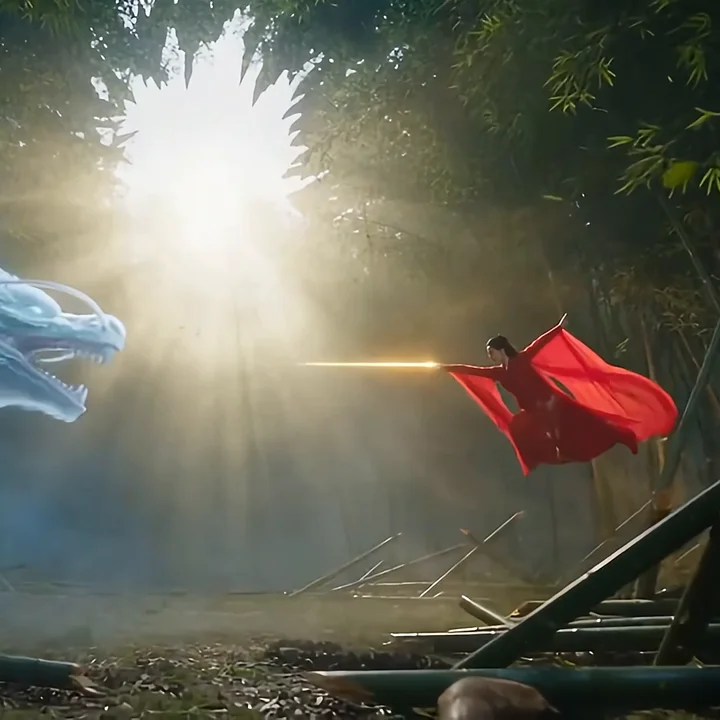
How do you write 30 seconds as three beats?
A beat is one small part of the story. Split the 30 seconds into three beats of 10 seconds each, and write one line per beat that says what moves and where the camera looks.
Beat 1 (0 to 10 seconds) sets the place. Beat 2 (10 to 20 seconds) shows the action. Beat 3 (20 to 30 seconds) lands the ending.
Example beats: "0-10 s: a baker opens her shop door at dawn, warm light spills onto the street. 10-20 s: flour dust floats in the window light as she kneads dough. 20-30 s: the first customer takes a warm loaf and the door bell rings."
Written and checked by the Reviral team on 24 September 2026. Prices read from the live studio and the public model list that day.
Make the 30-second video in five steps
Every screenshot comes from the Reviral studio with Seedance 2.5 picked.
- 01
Open the studio with Seedance 2.5
Press the button on this page. You see the studio open with Seedance 2.5 picked and the example beats typed.
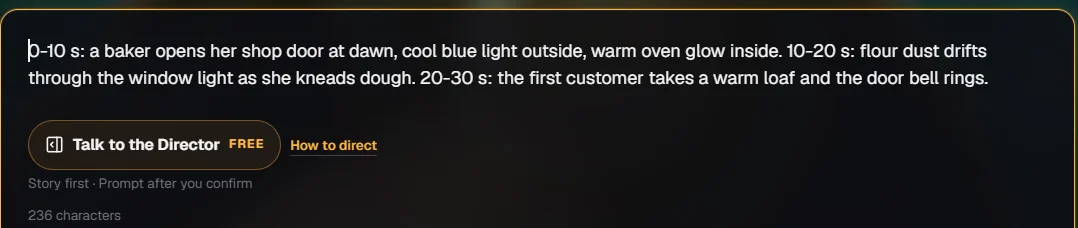
Step 1 — Press the button: the prompt box opens with the three beats typed. - 02
Set 30 seconds and 720p
Check the length and resolution settings. This option is fixed at 30 seconds and 720p; pick 16:9 for a wide video or 9:16 for a vertical one.
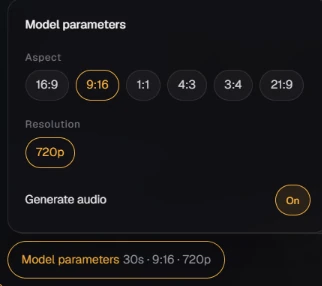
Step 2 — Press Model parameters: this 30-second option is fixed at 30 s; pick 9:16 and 720p. - 03
Type the three beats
Replace the example with your own three lines, one for each 10 seconds. You see the prompt box fill with your beats.
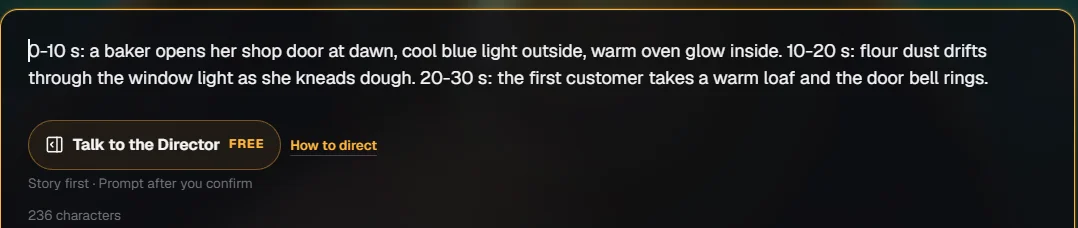
Step 3 — Type the three beats: one line for each 10 seconds. - 04
Add reference pictures (optional)
Add pictures of your product, character or place to guide the look. You see up to 30 thumbnails line up under the prompt.
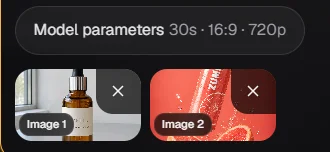
Step 4 — Add reference pictures: they line up as thumbnails under Model parameters - 05
Check the price line, then press Generate
You see the price line show 122 credits (about $1.52) for 30 seconds. Press Generate, then play and download the video when it is ready.
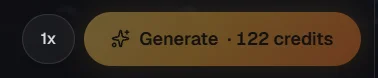
Step 5 — Check the price line, then press Generate: it shows 122 credits for 30 seconds.
What does a 30-second AI video cost on Reviral?
| Option | Credits for 30 s | At the $4.99 Mini Pack rate | Reference files |
|---|---|---|---|
| 720p · 30-second flat price | 122 credits | $1.52 | Up to 30 pictures |
| 1080p (full-HD) · 30-second flat price | 166 credits | $2.07 | Up to 30 pictures |
| 720p · with reference video or audio | 594 credits | $7.41 | 30 pictures, 10 videos, 10 audio clips |
Credits read from Reviral's live model list, checked 24 September 2026. If a render cannot finish, the credits come back automatically. Pay by card, or in ringgit (RM) with Touch 'n Go eWallet for credit packs or Visa/Mastercard for monthly plans.
Want narration and captions too?
Seedance 2.5 makes the picture. If you want a written script, a voiceover and captions on top, use Reviral's video creator instead and set the length to 30 seconds; it shows the exact credits before you render.
30-second AI video questions
Can AI make a 30-second video in one go?+
Yes. Seedance 2.5 renders up to 30 seconds per clip on Reviral.
How do I write a 30-second prompt?+
Split it into three beats (0 to 10, 10 to 20, 20 to 30 seconds) and say what moves in each.
Does the video have sound?+
Seedance 2.5 is built to generate sound with the picture; play the video before you publish it.
How much does it cost?+
122 credits at 720p (about $1.52) and 166 at 1080p (about $2.07), checked 24 September 2026; more with reference videos or audio.
Can I make it vertical for TikTok?+
Yes, pick 9:16.
I want narration and captions. Which tool?+
Use the video creator at 30 seconds; it writes the script, voice and captions.
Keep going
Published by Reviral. Screens and prices from the live studio on the date shown.
30 seconds · 720p · 122 credits
Make your 30-second AI video
Opens the studio with Seedance 2.5 picked, 30 seconds, 720p and the three-beat example typed: 122 credits (about $1.52), checked 24 September 2026. The 100 free credits at sign-up, no card, are not enough for one 30-second video. Pay by card, or in ringgit (RM) with Touch 'n Go eWallet for credit packs or Visa/Mastercard for monthly plans.
Make a 30-second video with Seedance 2.5Last updated: September 24, 2026