How to Make AI Product Photos (GPT Image 2.5 Sunburst)
To make AI product photos on Reviral: take one clear photo of your product, open the studio with GPT Image 2.5 Sunburst, upload the photo as a reference, describe the new scene, pick a ratio and press Generate. Each 1K picture costs 2 credits, about $0.02 at the $4.99 Mini Pack rate. Checked 24 September 2026. Pay by card, or in ringgit (RM) with Touch 'n Go eWallet for credit packs or Visa/Mastercard for monthly plans.
- 2 credits
- per 1K picture
- 9
- reference photos max
- 11
- picture shapes
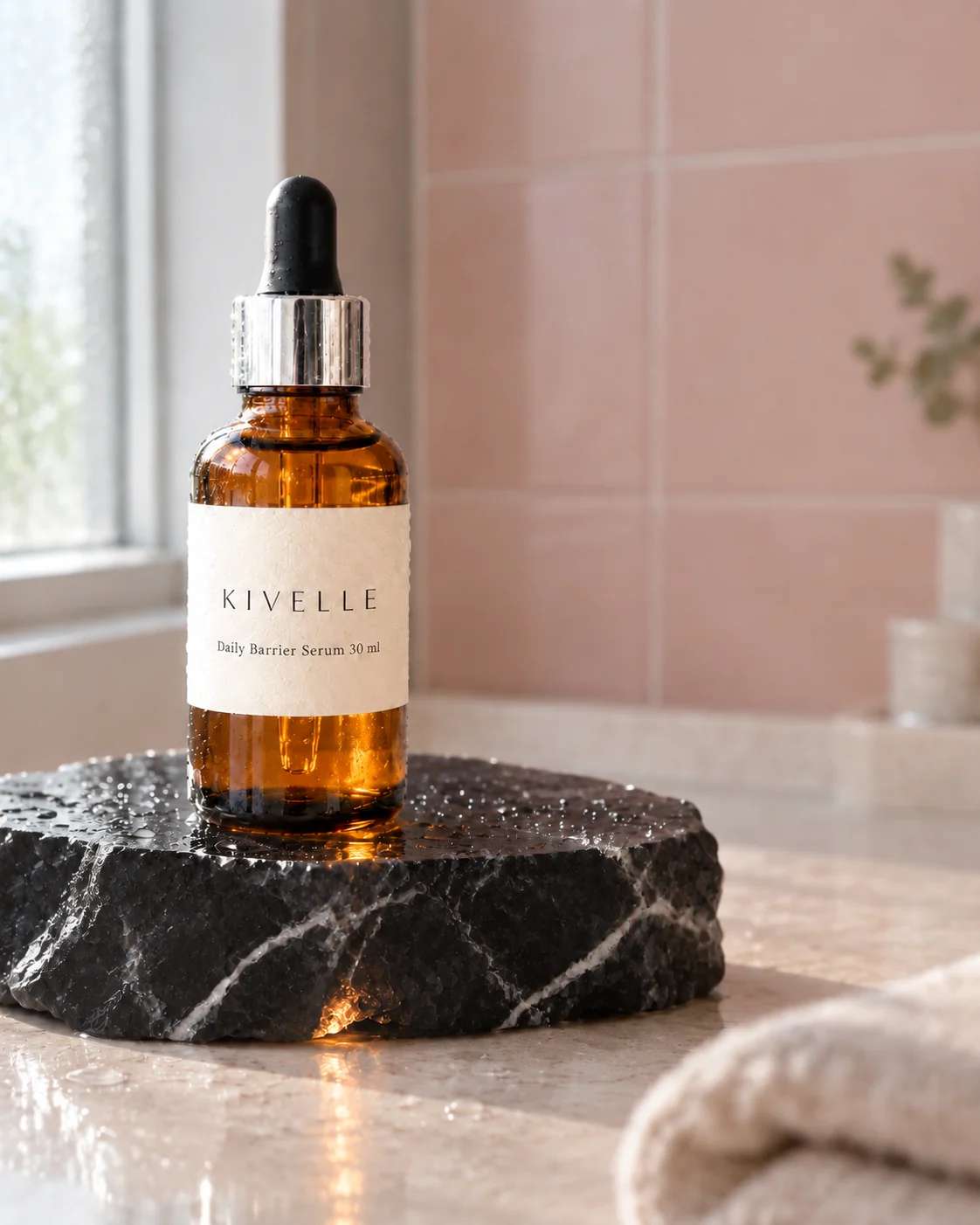
Before and after
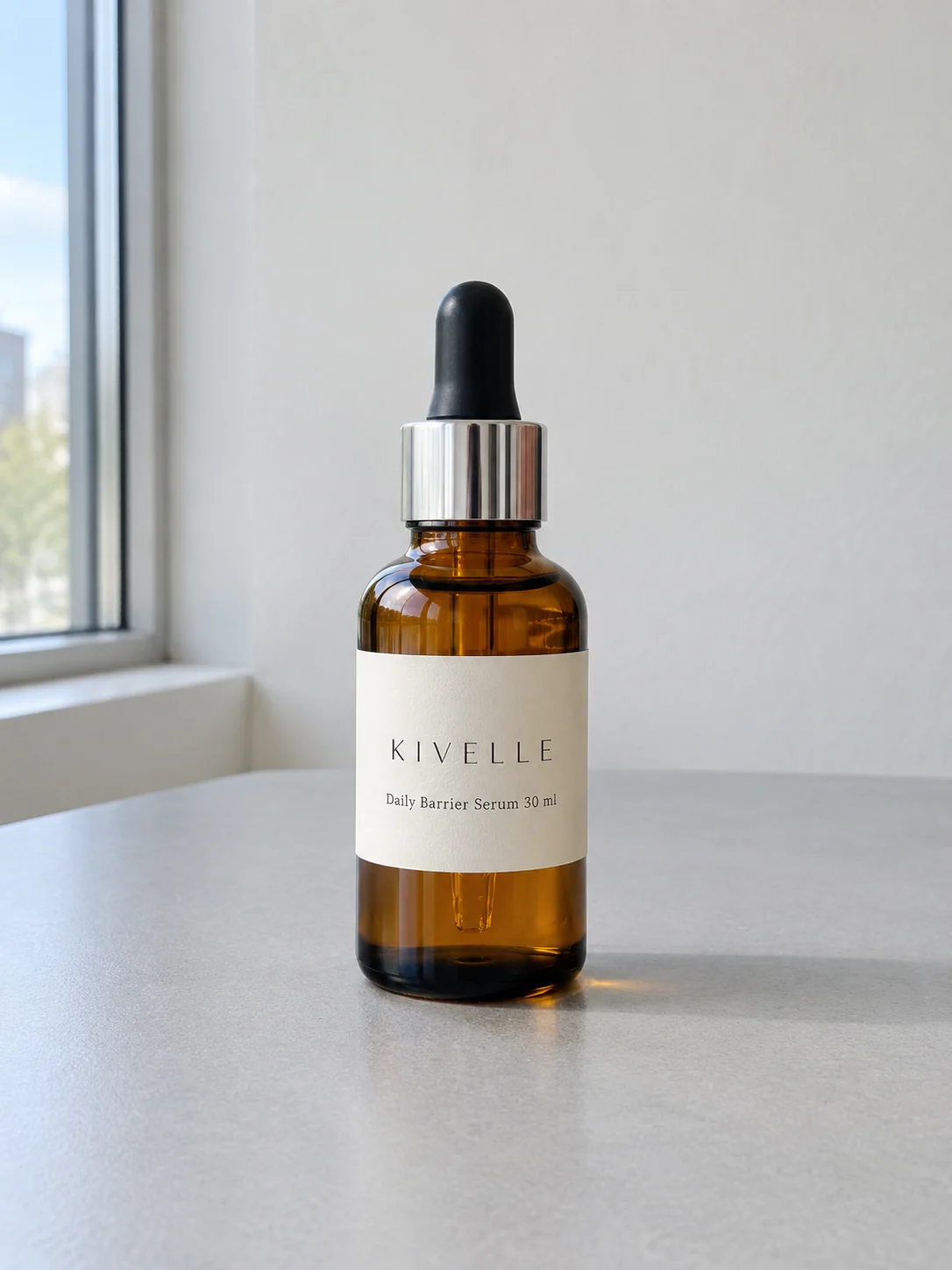
Before: input picture made on Reviral with GPT Image 2.5 · 2 credits
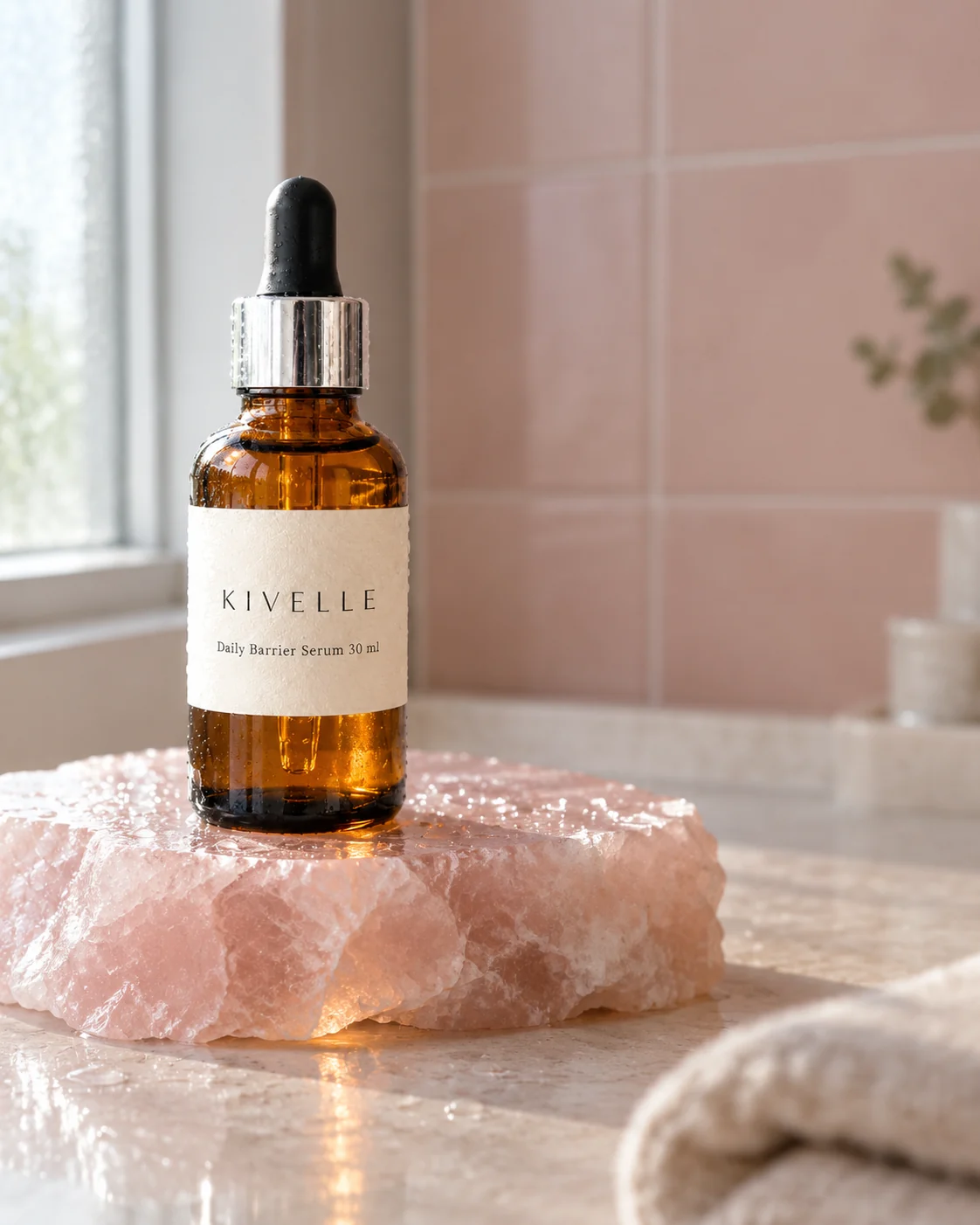
After: made with GPT Image 2.5 Sunburst on Reviral · 2 credits
How do you take a good starting photo?
The starting photo decides most of the result:
1. Put the product on a plain, light surface, such as a white table or a sheet of paper.
2. Use soft window light and keep it out of direct sun, so there are no hard shadows or glare on the label.
3. Turn the label to face the camera and fill most of the frame with the product.
4. Hold the phone steady or rest it on something, so nothing is blurred.
Written and checked by the Reviral team on 24 September 2026. Prices read from the live studio and the public model list that day.
Make AI product photos in five steps
Every screenshot comes from the Reviral image studio with GPT Image 2.5 Sunburst picked.
- 01
Open the studio with GPT Image 2.5 Sunburst
Press the button on this page. You see the image studio open with GPT Image 2.5 Sunburst already picked and a starter scene typed.
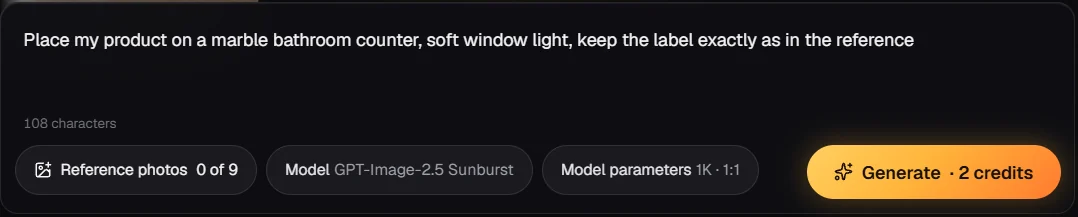
Step 1 — Press the button: the studio opens with GPT Image 2.5 Sunburst picked and the prompt typed. - 02
Add your product photo as a reference
Press the reference button and pick your photo; add 2 or 3 more angles if the label wraps around. You see each photo as a thumbnail, up to 9.
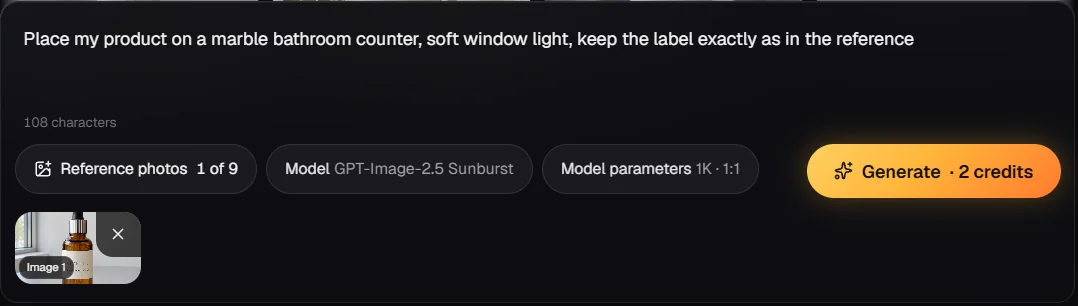
Step 2 — Press Reference photos and add your product photo: it shows as a thumbnail, 1 of 9. - 03
Describe the scene and pick a ratio
Write where the product sits and how the light falls, and end with 'keep the label exactly as in the reference'. Pick 4:5 for social posts or 1:1 for listings; you see the price line show 2 credits (about $0.02).
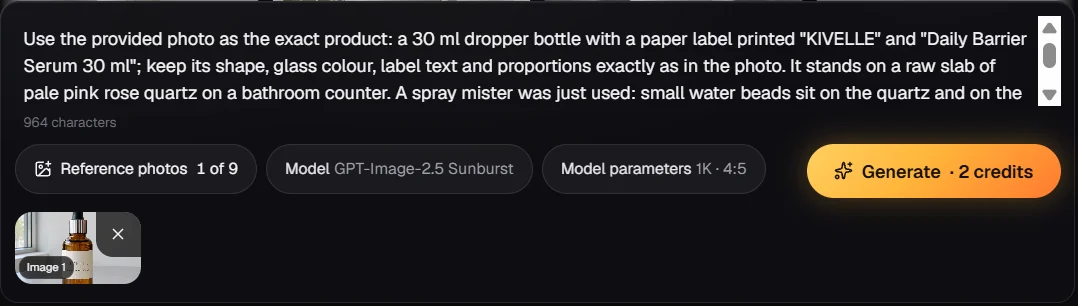
Step 3 — Describe the scene and pick 4:5: the price line shows 2 credits. - 04
Press Generate
OpenAI says Sunburst spends longer on detail; our Sunburst pictures took 44 seconds to about 3.5 minutes on 24 September 2026. You see the new picture appear in the results panel.
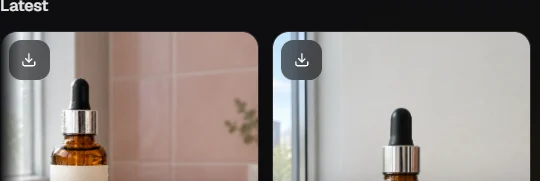
Step 4 — Press Generate: the new picture appears first in the Latest panel. - 05
Change one thing
Download the result you like, add it back as a reference and write only the change, such as 'make the counter black, keep everything else'. You see a new version next to it.
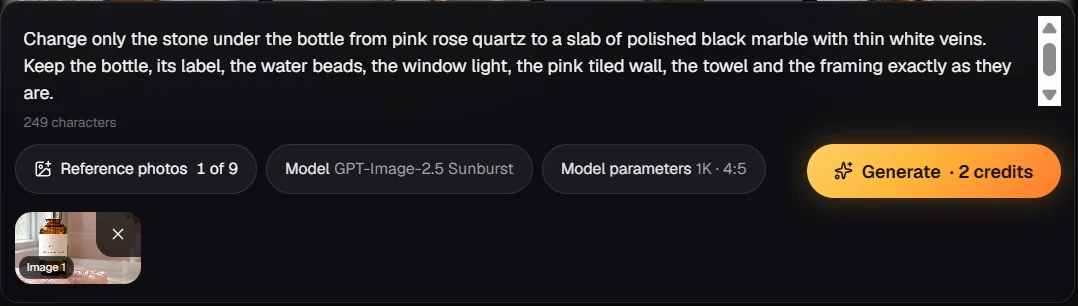
Step 5 — Add your favourite result as a reference and type one change: the price line still shows 2 credits.
Two more scenes from the same photo
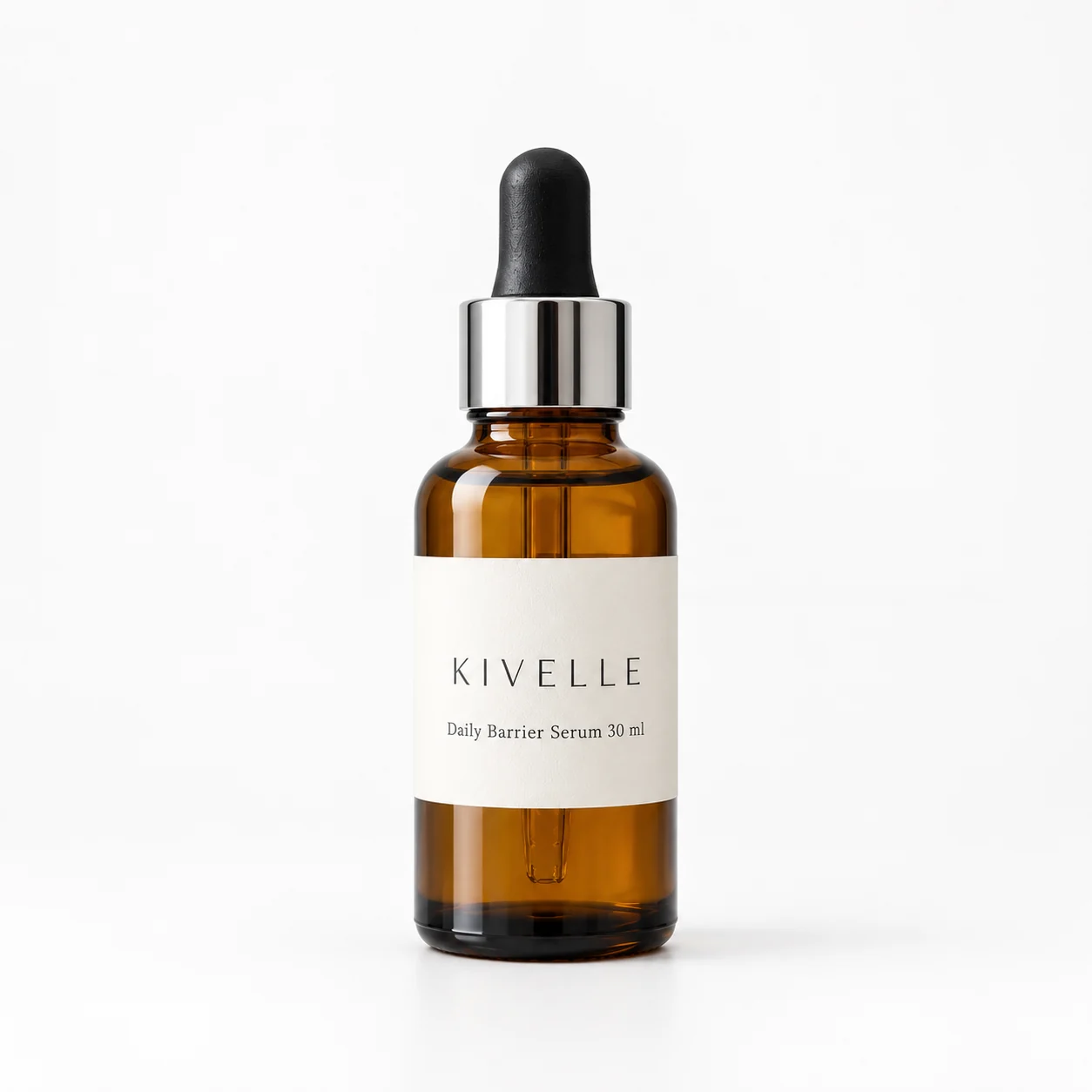
Pure white background, 1:1 · made with GPT Image 2.5 Sunburst on Reviral · 2 credits
One change: black marble instead of rose quartz · made with GPT Image 2.5 Sunburst on Reviral · 2 credits
What do AI product photos cost?
| What you make | Credits | At the $4.99 Mini Pack rate | Note |
|---|---|---|---|
| 1 picture at 1K | 2 credits | $0.02 | Any of 11 shapes |
| 4 pictures, one per press | 8 credits | $0.10 | One picture per press |
| Mini Pack | 400 credits | $4.99 | 200 pictures |
Credits read from Reviral's live model list, checked 24 September 2026. 100 free credits at sign-up, no card, make 50 pictures. Pay by card, or in ringgit (RM) with Touch 'n Go eWallet for credit packs or Visa/Mastercard for monthly plans.
What should you check before you publish?
Zoom in on the label: the reference photo guides the model, but letters, colour and shape can drift. Compare every picture with your real product before you use it.
Marketplaces such as Amazon and Shopify stores have their own image rules; read them before you upload a listing picture.
AI product photo questions
What makes a good starting photo?+
Plain background, soft window light, the label facing the camera, no blur.
How many photos can I upload?+
Up to 9 reference pictures; 2 or 3 angles help with shape and labels.
How do I change just one thing?+
Add the picture you like as a reference and write only the change, such as 'make the counter black, keep everything else'.
Which ratio for Amazon or Shopify?+
1:1 for listing pictures, 4:5 or 9:16 for social posts; check each platform's own image rules.
How much does it cost?+
2 credits a picture (about $0.02, checked 24 September 2026); the 100 free credits at sign-up make 50.
Is Sunburst slower than Flare?+
OpenAI says so; on our clock on 24 September 2026 the waits overlapped (Sunburst 44 seconds to about 3.5 minutes, Flare 69 to 135 seconds). Both cost 2 credits.
Keep going
Published by Reviral. Screens and price from the live studio on the date shown.
AI product photo generator
The tool behind this tutorial.
2.5GPT Image 2.5
Standard, Flare and Sunburst tiers.
?Best AI image model for product photos
What product-photo tests pick.
ADImage ads
Add ad copy to the picture.
PVTurn the photo into a video ad
Product photo to video.
PAYCredit packs
From $4.99.
1K · 2 credits a picture
Make your first AI product photo
Opens the studio with GPT Image 2.5 Sunburst picked and a starter scene typed: 2 credits a picture (about $0.02), checked 24 September 2026. 100 free credits at sign-up, no card, make 50 pictures. Pay by card, or in ringgit (RM) with Touch 'n Go eWallet for credit packs or Visa/Mastercard for monthly plans.
Make a product photo with GPT Image 2.5 SunburstLast updated: September 24, 2026