AI Product Photo Generator (GPT Image 2.5 Sunburst)
An AI product photo generator puts your real product into a new scene from a single photo. On Reviral you upload the product as a reference, describe the scene, and GPT Image 2.5 Sunburst — the tier made for finer detail and edit control — returns a 1K picture for 2 credits, about $0.02 at the $4.99 Mini Pack rate, checked 24 September 2026. Pay by card, or in ringgit (RM) with Touch 'n Go eWallet for credit packs or Visa/Mastercard for monthly plans.
- 2
- credits per picture
- 1K
- picture size
- 9
- reference pictures
- 11
- picture shapes
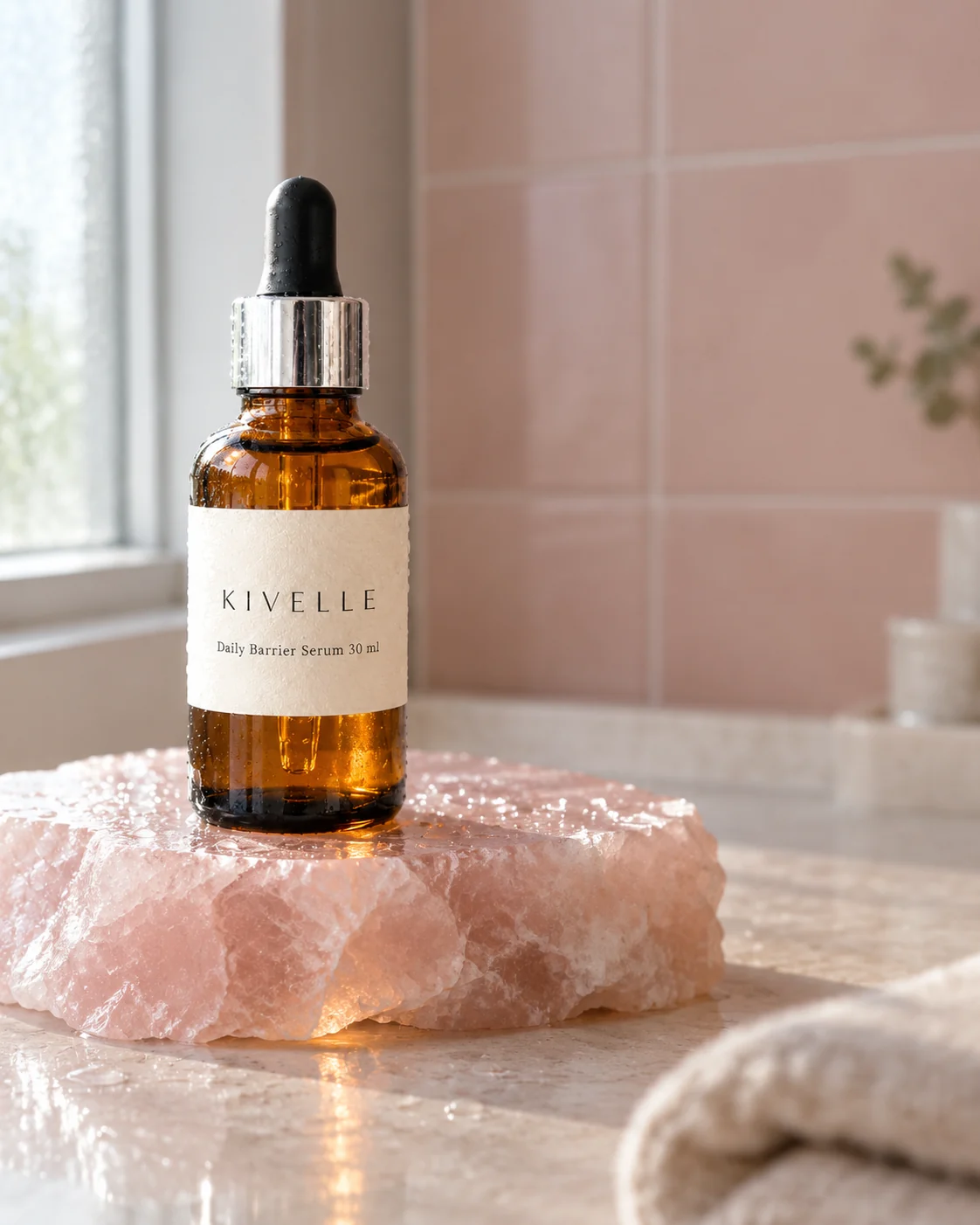
Reference in, scene out
How Does an AI Product Photo Generator Work?
You give the model two things: a photo of your product and a sentence about the scene. The photo is a reference picture. It tells the model what the bottle, mug or shoe looks like — its shape, colour and label. The sentence tells it where to put the product, what light to use and how the picture should be framed.
On Reviral the model behind this page is GPT Image 2.5 Sunburst, the slowest and most careful of the three GPT Image 2.5 tiers. Its studio note reads: "Finer detail and edit control. Takes longer. Good for product and ad pictures." You can add up to 9 reference pictures, so a front, back and close-up of the label all help. The result is a 1K picture in the shape you pick.
A reference guides the model closely, but it is not a copy machine. Small text, logos and fine patterns can come out slightly different, which is why the last step below is always: zoom in and check.
Written and checked by the Reviral team on 24 September 2026. Prices read from the live studio and the public model list that day.
Before and after, real Reviral outputs
One Plain Product Picture, Four New Scenes
The first picture is the input picture, itself made on Reviral with GPT Image 2.5. The other four came from GPT Image 2.5 Sunburst with that picture as the reference.
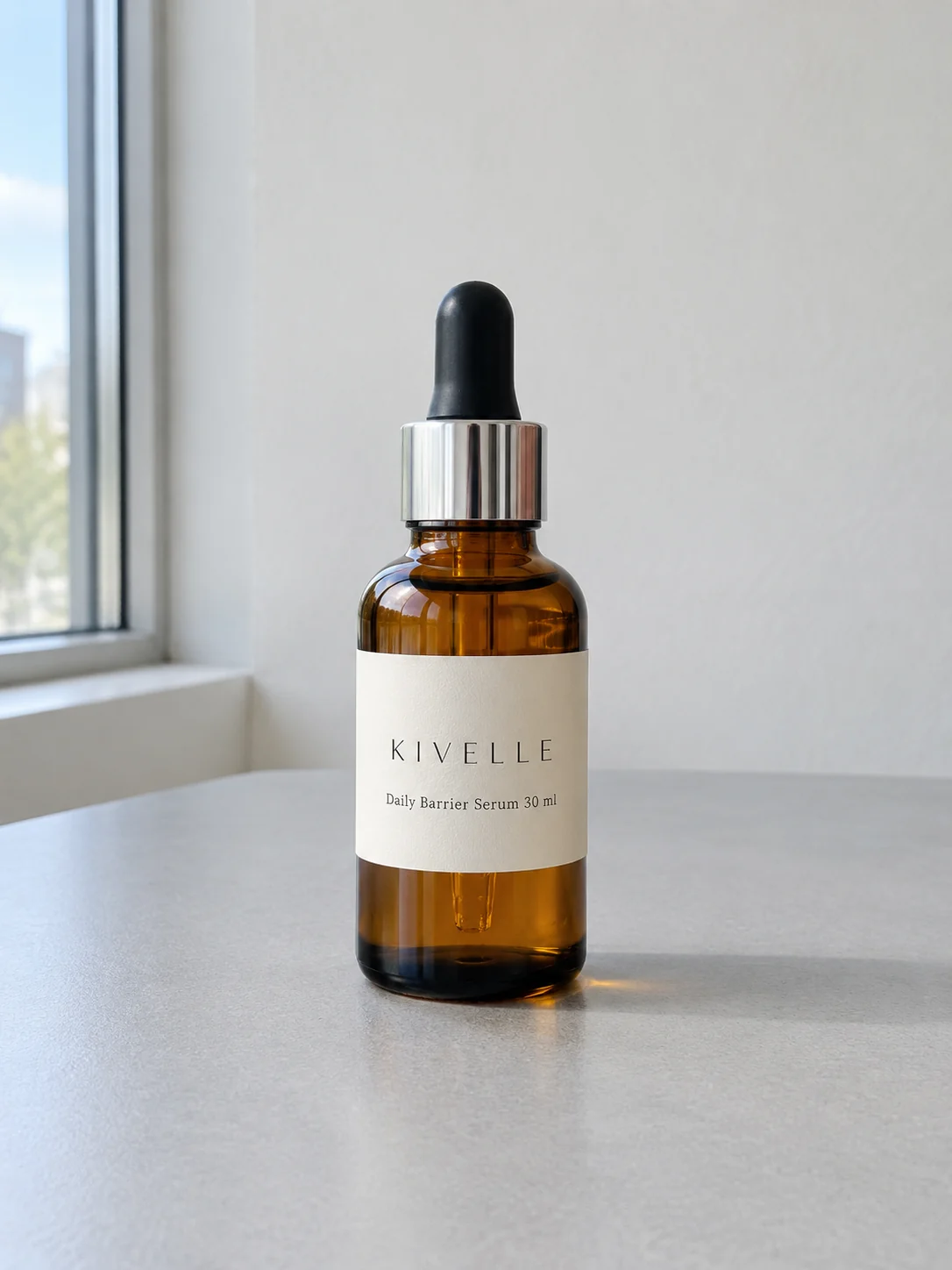
Input picture
Input picture made on Reviral with GPT Image 2.5 · 2 credits
Rose quartz with water beads, 4:5
Made with GPT Image 2.5 Sunburst on Reviral · 2 credits
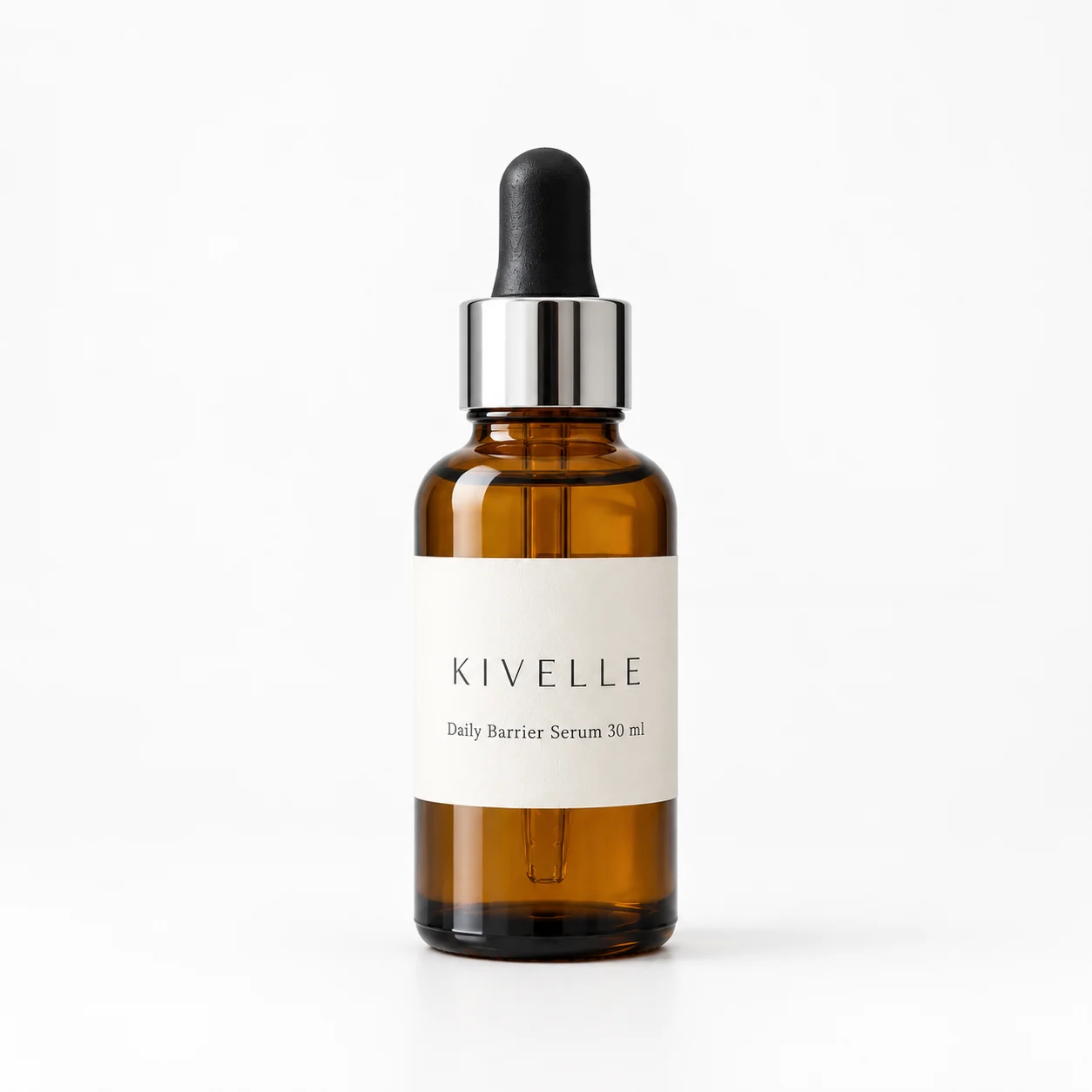
Pure white background, 1:1
Made with GPT Image 2.5 Sunburst on Reviral · 2 credits
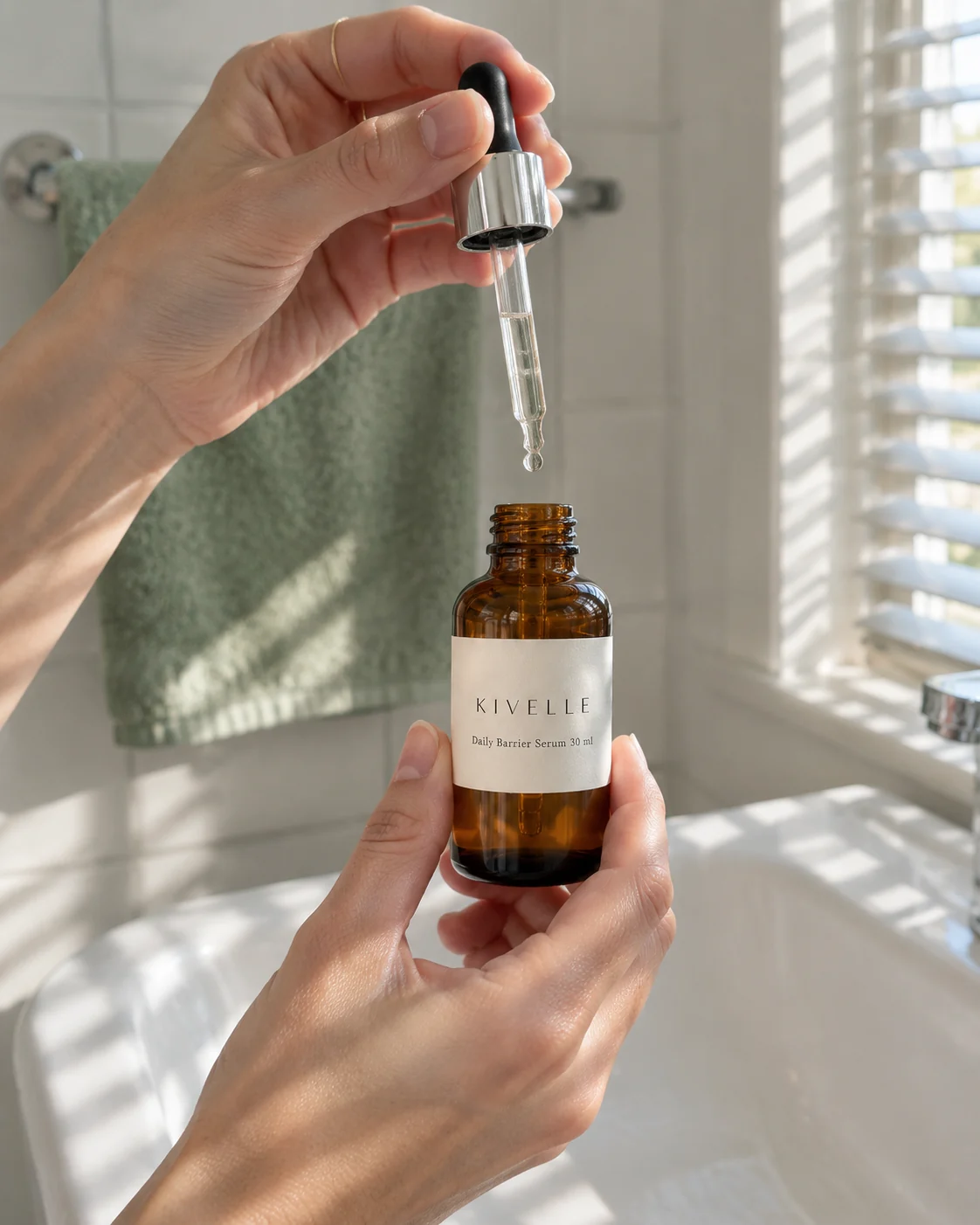
Hands with the dropper over a basin, 4:5
Made with GPT Image 2.5 Sunburst on Reviral · 2 credits
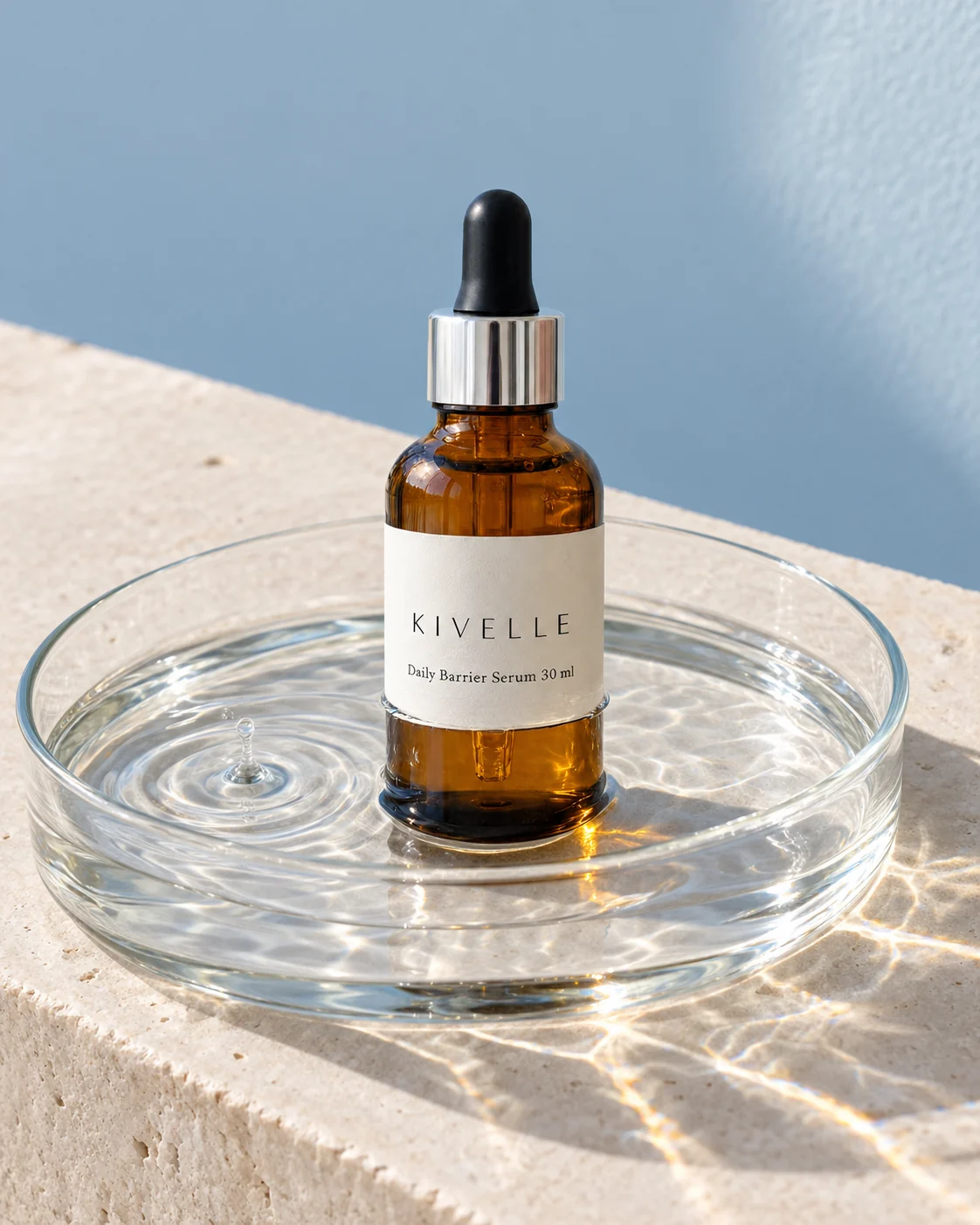
Glass tray of water, sunlit ripples, 4:5
Made with GPT Image 2.5 Sunburst on Reviral · 2 credits
Five steps
How to Make an AI Product Photo on Reviral
The button on this page opens step 1 for you. A full walk-through with more prompts is in the product photo tutorial linked below.
- 01
Open the studio
The studio opens with GPT Image 2.5 Sunburst picked and a starter scene in the prompt box.
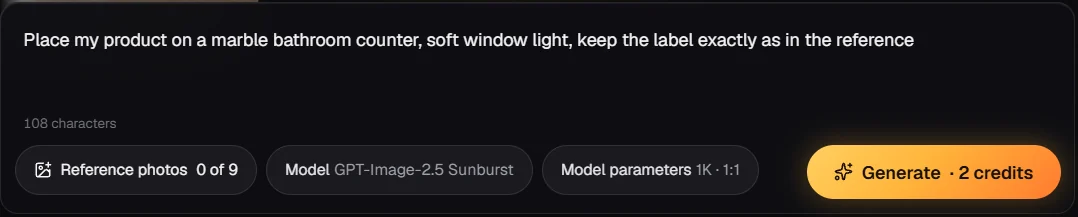
Step 1 — Press the button above: the studio opens with GPT Image 2.5 Sunburst picked. - 02
Upload your product photo
Add one clear photo; add up to 8 more angles if the label or shape is tricky.
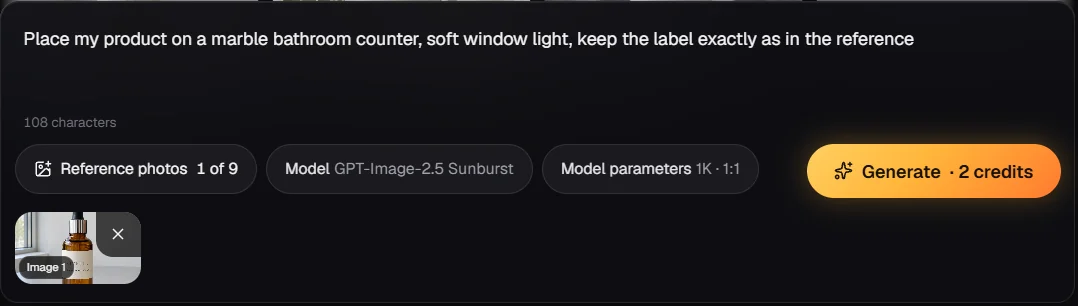
Step 2 — Press Reference photos and add your product photo: it shows as a thumbnail, 1 of 9. - 03
Describe the scene and pick a shape
Say where the product sits and what the light is like; pick 1:1 for marketplaces or 4:5 for feeds.
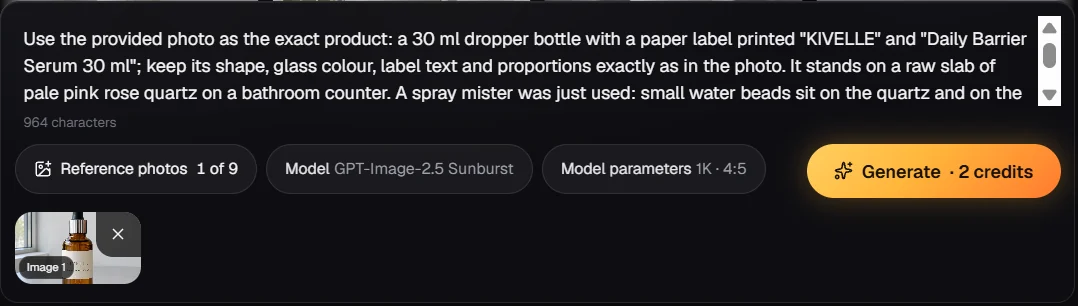
Step 3 — Describe the scene and pick 4:5: the price line shows 2 credits. - 04
Generate
Press Generate; our Sunburst pictures took 44 seconds to about 3.5 minutes on 24 September 2026.
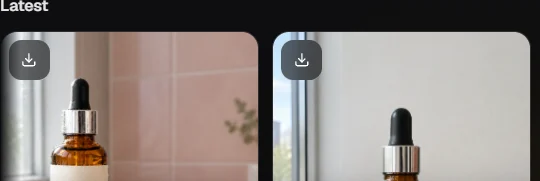
Step 4 — Press Generate: the picture arrives in the results panel. - 05
Check, then download
Zoom into the label, colour and edges before you use the picture anywhere.
Price shown before you generate
How Much Does an AI Product Photo Cost?
One product photo costs 2 credits on Reviral, about $0.02 at the $4.99 Mini Pack rate, checked 24 September 2026. The price does not change with the scene or the shape.
GPT Image 2.5 Sunburst · 1K product photos
Credits first, dollars at the $4.99 Mini Pack rate · checked 24 September 2026
| What you make | Credits | Price |
|---|---|---|
| 1 product photo | 2 credits | $0.02 |
| Four scenes, one per press | 8 credits | $0.10 |
| Sign-up bonus, no card | 100 free credits | = 50 product photos |
| Mini Pack, one-time, never expires | 400 credits | $4.99 = 200 product photos |
| Plus Pack, one-time, never expires | 2,200 credits | $24.99 = 1,100 product photos |
Monthly plans are optional, from $19 for 1,900 credits. If a picture cannot be finished, the credits are returned automatically. Prices checked 24 September 2026. Pay by card, or in ringgit (RM) with Touch 'n Go eWallet for credit packs or Visa/Mastercard for monthly plans.
Two minutes that save a return
What to Check Before You Publish a Product Photo
Label text: read every word at full size. Model-made letters can swap or blur, and a wrong ingredient or size on a label is a real problem for a shop.
Colour and shape: put the new picture next to your real product photo. If the cap, handle or colour shifted, regenerate with an extra reference angle, or ask Sunburst to fix only that part.
Marketplace rules: shops like Amazon and Shopify stores set their own rules for main pictures. We have not tested those rules for you, so check the marketplace's own guide before you upload a generated picture as a main image. Use generated scenes where lifestyle and ad pictures are allowed.
Pick the shape first
AI Product Photoshoot Ideas by Channel
Marketplace listing (1:1): pure white or light grey background, soft shadow, product centred. This is the plain, clean look shoppers expect in a grid.
Social feed (4:5): a lifestyle scene with a hand, a table or a room, plus one prop that tells the story, such as a laptop for a coffee mug.
Stories and short video covers (9:16): the product in the lower half, space above for your own text. Seasonal scenes — snow, beach, holiday lights — work well here.
Banners (16:9 or 21:9): the product on one side and calm space on the other for a headline.
Next steps on Reviral
From Product Photo to Ad
Product photo to video
Turn the same product photo into a 15-second UGC video ad for 160 credits at 480p (about $2.00 at the $4.99 Mini Pack rate), checked 24 September 2026.
ADImage ad generator
Finished static ads with headline and button text, in 21 languages.
SHOPShopify ad maker
Ad pictures built from a Shopify product page link.
FBAAmazon FBA ad generator
Ad pictures for Amazon sellers from a listing link.
Short answers
AI Product Photo Generator FAQ
Does the AI product photo generator keep my product exactly the same?+
The photo guides the model closely, but check label text, colour and shape on every picture before you publish; small text can change.
How many product photos can I upload?+
Up to 9 reference pictures per generation, for example front, back and a label close-up.
What sizes can I make?+
1K pictures in 11 ratios, including 1:1 for marketplaces and 4:5 or 9:16 for social feeds.
How much does one AI product photo cost?+
2 credits, about $0.02 at the $4.99 Mini Pack rate; the 400-credit Mini Pack makes 200 product photos (checked 24 September 2026).
Is there a free trial?+
Sign-up gives 100 free credits with no card, enough for 50 product photos; after that, packs start at $4.99.
Can I turn the product photo into a video ad?+
Yes: the product photo to video tool makes a 15-second UGC ad for 160 credits at 480p, about $2.00 at the $4.99 Mini Pack rate, or 278 credits at 720p (checked 24 September 2026).
Why GPT Image 2.5 Sunburst and not Flare?+
OpenAI says Sunburst takes longer and calls Flare its lower-latency tier; Sunburst keeps finer detail on labels and edges, and on our clock on 24 September 2026 the waits overlapped (Flare 69–135 s, Sunburst 44 s to about 3.5 min). Both cost the same.
One product photo in, new scenes out
Put Your Product in a New Scene
Open the studio with GPT Image 2.5 Sunburst picked and a starter scene filled in, upload your product photo, and press Generate. Each picture costs 2 credits (about $0.02 at the $4.99 Mini Pack rate), checked 24 September 2026; sign-up adds 100 free credits, no card. Pay by card, or in ringgit (RM) with Touch 'n Go eWallet for credit packs or Visa/Mastercard for monthly plans.
Make a product photo with GPT Image 2.5 SunburstLast updated: September 24, 2026