
compare format · 1:1
Comparison Grid ad generator
A Comparison Grid / Table ad gives an honest contrast between two states or choices a defined visual structure instead of starting from a blank canvas. Choose the format on Reviral, supply your product and approved claims, then review the words and product before export.
Make this ad on Reviral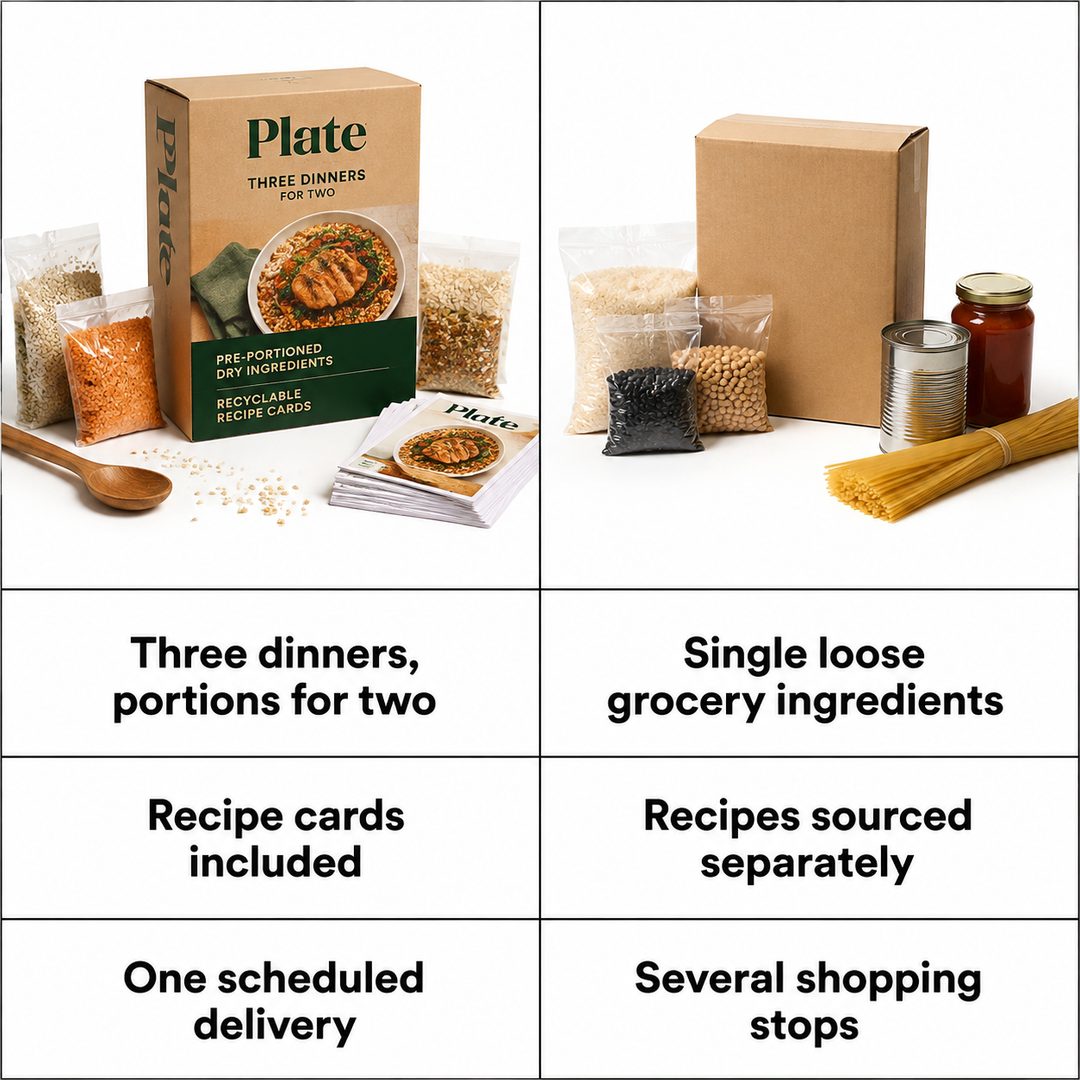
By Wilson Sik Founder, Reviral Last updated
What this format is
Comparison Grid / Table is one of Reviral's 40 real static-ad formats. It defaults to a 1:1 canvas and belongs to the compare goal group. Its defined word slots are advantage 1, alternative 1, advantage 2, alternative 2, advantage 3, and alternative 3. Each slot has its own length limit and placement, so the message is planned with the composition rather than added as an afterthought. When the product appears, Reviral uses the supplied product as the reference and runs its product-lock check.
When it can help conversion
This format is most useful when the audience is already comparing options and the differences can be stated fairly. It cannot make an unsupported promise true, so the strongest version uses one clear idea, proof the buyer can verify, and words that match the product page. The product-lock check protects the supplied product reference; it does not validate marketing claims for you.
The words this format uses
Every slot below comes directly from the live format definition. “Editable layer” means you can change the words without regenerating the background. “Baked into visual” means the lettering is part of a native note, interface, or photographed treatment.
| Text slot | Treatment | Limit | Position |
|---|---|---|---|
| Advantage 1 | Baked into visual | 46 characters | left row 1 |
| Alternative 1 | Baked into visual | 46 characters | right row 1 |
| Advantage 2 | Baked into visual | 46 characters | left row 2 |
| Alternative 2 | Baked into visual | 46 characters | right row 2 |
| Advantage 3 | Baked into visual | 46 characters | left row 3 |
| Alternative 3 | Baked into visual | 46 characters | right row 3 |
Frequently asked questions
What is a comparison grid ad?
It is a 1:1 static-ad composition that presents an honest contrast between two states or choices. Its defined word slots are advantage 1, alternative 1, advantage 2, alternative 2, advantage 3, and alternative 3. Each slot has its own length limit and placement, so the message is planned with the composition rather than added as an afterthought.
Can I edit the words in a comparison grid ad?
This format has no separate editable word slot. Advantage 1, Alternative 1, Advantage 2, Alternative 2, Advantage 3, Alternative 3 are baked into the native visual because the lettering is part of the photographed or interface-style treatment.
When should I use a comparison grid ad?
Use it when the audience is already comparing options and the differences can be stated fairly. Keep every claim specific, supportable, and consistent with the destination page.